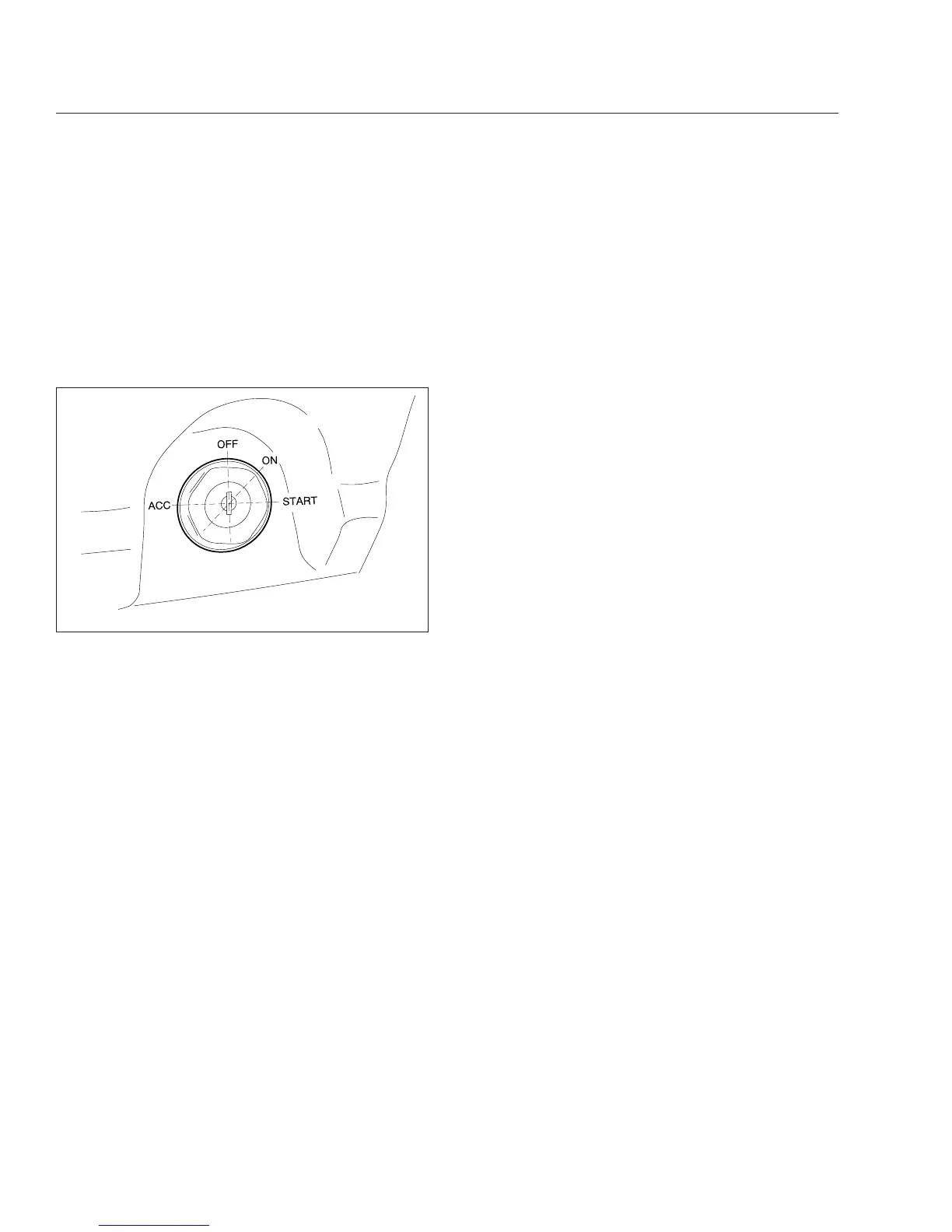
Ignition Switch
NOTE: Freightliner vehicles are offered with
various chassis and body components. Because
of the various options, the information contained
in this chapter may not apply to every vehicle.
The ignition switch (Fig. 5.1) is located on the lower
portion of the left-hand dash. The switch has four
positions: OFF, ACCESSORY, ON, and START.
In the OFF position, the key slot is vertical. The key
can be inserted and removed only in the OFF posi-
tion.
The following functions are operable when the igni-
tion switch is in the OFF position (regardless of
whether the key is inserted):
•
low-beam headlights
•
taillights
•
brake lights
•
dome lights
•
clearance lights
•
turn signals
•
hazard warning lights
•
horn
•
CB radio
•
power windows
•
cigarette lighter
•
clock
Turn the key counterclockwise to reach the ACCES-
SORY position. In addition to all the functions that
are operable with the ignition switch in the OFF posi-
tion, the following functions are operable when the
switch is in the ACCESSORY position:
•
radio or stereo system
•
mirror heat
•
air dryer
•
backup lights
•
windshield fan(s)
Turn the key clockwise past the OFF position to
reach the ON position. With the switch in the ON po-
sition, all electrical systems are operable and the in-
strument control unit (ICU3) runs through the ignition
sequence. See
Fig. 5.2.
When the ignition switch is turned to the ON position,
all electronic gauges complete a full sweep of their
dials, the warning and indicator lamps illuminate, and
the buzzer sounds for three seconds. Wait for the
gauge sweep to complete before starting the engine.
Switching on the ignition and releasing the parking
brakes automatically activates the daytime running
lights, if equipped. The daytime running lights will
operate until the parking brakes are applied or the
headlights are turned on.
NOTE: Daytime running lights are standard on
all vehicles domiciled in Canada.
Turn the key clockwise past the ON position to reach
the START position and start the engine. Do not op-
erate the starter longer than thirty seconds, and wait
at least two minutes between starting attempts to
allow the starter to cool. Release the key the mo-
ment the engine starts.
Control Panels
The left-hand control panel (Fig. 5.3, Item 1) con-
tains a face vent and four switches arranged in a
vertical line. In the standard cab, the four switches
usually consist of the headlight, panel light increase/
decrease, and the cruise control on/off and set/
resume switches.
The instrument cluster is located directly behind the
steering wheel. The mode/reset button, located on
the right side of the instrument cluster, allows the
07/19/2006 f610805
Fig. 5.1, Ignition Switch Positions
Driver Controls
5.1










 To Next Page