TROUBLE SHOOTING - continued
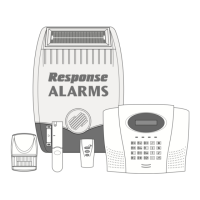
Keypad not operating (‘On-Air’ light does
not illuminate).
1. Incorrect Access Code being entered.
2. Battery low - replace battery.
PIR Movement Detector false alarming.
1. Ensure that the detector is not pointing at a source
of heat or a moving object.
2. Ensure that the detector is not mounted above a
radiator or heater.
3. Ensure that the detector is not facing a window or
in direct sunlight.
4. Ensure that the detector is not in a draughty area.
5. Pulse count set too low – reset to two pulse
detection.
PIR Movement Detector not detecting a
person’s movement.
1. Ensure the battery clip is securely connected.
2. Ensure ‘House Code’ is correctly set to the same
code as all other system devices.
3. Pulse count set too high - reset to one pulse
detection
4. Ensure DIP switches 1, 2 and 3 of SW2 are
correctly set, (i.e. 1=ON, 2=ON, and 3=OFF).
5. Ensure that detector is mounted the correct way
up, (i.e. with detection window at the bottom).
6. Ensure that the detector is mounted at the correct
height, (i.e. 2-2.5m).
7. Allow up to three minutes for detector to stabilize
and become fully operational. Leave the area for
this period.
8. Ensure detector is within effective radio range of
the Solar Siren and is not mounted close to metal
objects which may interfere with RF transmission.
PIR Movement Detector LED flashes on
detection of movement, (device in normal
operation mode).
1. Ensure that the detector is configured for normal
operation, (i.e. DIP switch 4 of SW2 is OFF).
2. Low battery - replace battery.
Magnetic Contact Detector not working.
1. Ensure that magnet is correctly positioned in
relation to detector and that the gap between
magnet and detector is not too large.
2. Ensure batteries are fitted with correct polarity.
3. Ensure battery holder connections are making
good contact with the batteries and PCB.
4. Ensure ‘House Code’ is correctly set to the same
code as all other system devices.
5. Ensure DIP switches 9, 10 and 11 are correctly
set, (i.e. 9=ON, 10=ON, and 11=OFF).
6. If there is no additional Magnetic Contact Detector
connected ensure jumper link is fitted.
7. If an additional Magnetic Contact Detector is
connected:
a. Ensure jumper link is removed.
b. Check that both contacts are closed.
c. Check that additional contact is correctly wired.
Note: If an additional contact is used then the
doors/windows protected by both the main wirefree
detector and the additional wired detector must be
closed when either is opened. If one of the doors/
windows is already open then the opening of the
other door/window will not be detected.
8. Ensure detector is within effective radio range of
the Solar Siren and is not mounted close to metal
objects which may interfere with RF transmission.
Magnetic Contact Detector false alarming.
1. Ensure that magnet is correctly positioned in
relation to detector.
2. Ensure that gap between magnet and detector is
less than 10mm.
3. Tamper switch below battery cover not depressed
– check battery cover is fitted correctly and that
fixing lugs are not broken.
LED on Magnetic Contact Detector
illuminating when door or window is
opened.
1. Low battery - replace batteries.
Symptom
/
Recommendation Symptom
/
Recommendation
20 SA1, SA2(PF), SAC1
HELPLINE
If you have any problems with your
alarm, please call the Helpline on:
01268 563273
(Lines open 9.00am to 5.00pm, Monday to Friday)


 To Next Page