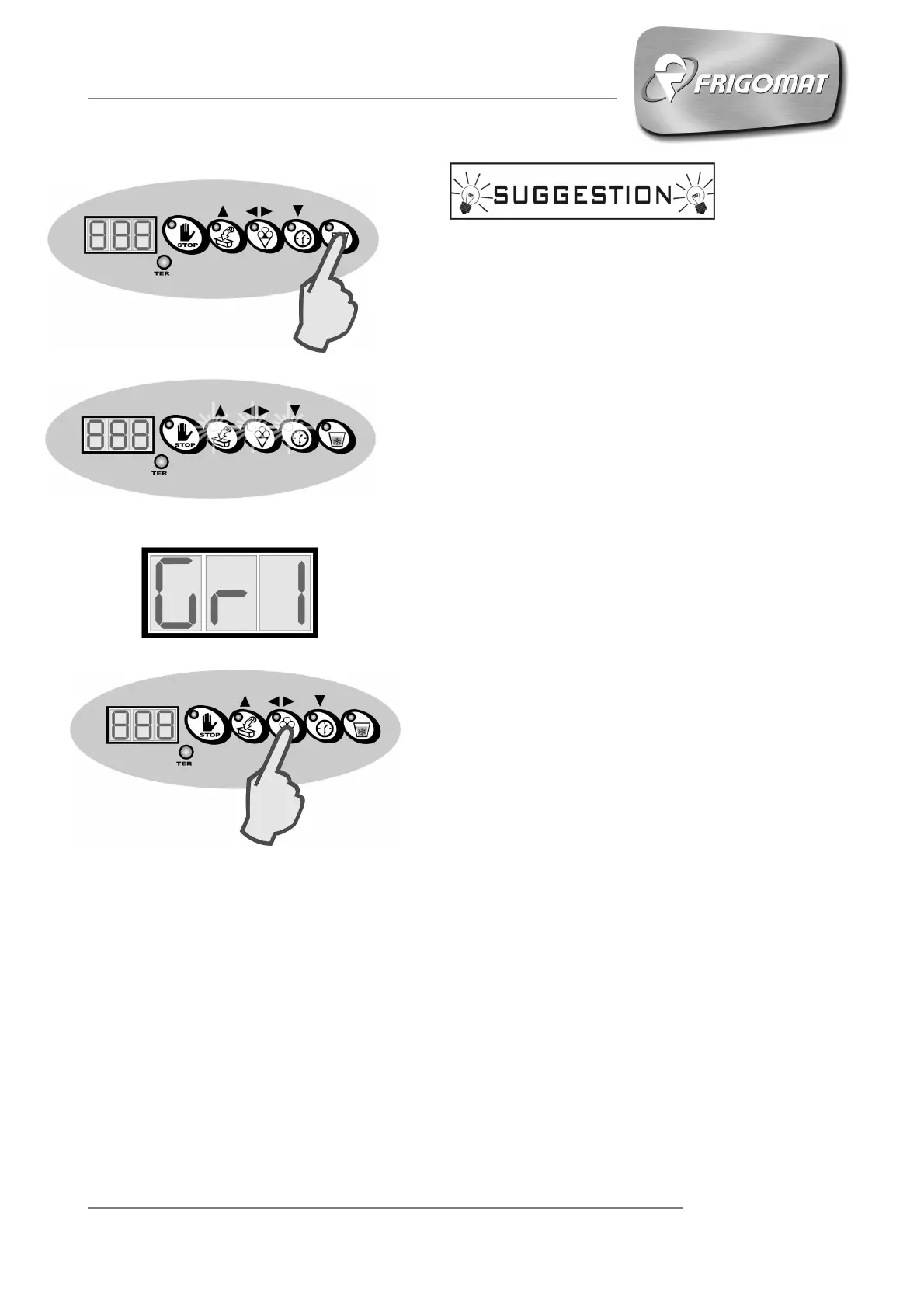
In order to correct any initial programming errors,
during the execution of the GR1 cycle it is always
possible to vary the consistency setting via the
following procedure:
- With the cycle in progress, press the SLUSH key
(Fig.1) once.
- The LEDs of the UP, Confirm and DOWN keys
light up and the GR1 message relative to the cycle
in progress is viewed on the display (fig. 2-3).
- Press the SLUSH key again.
- The numbers relative to the previously configured
consistency setting appear on the display: press
the UP and DOWN keys to correct the value.
- Press the CONFIRM key to validate the new data
and exit programming (fig. 4).
Fig.1
Fig.2
Fig.3
Fig.4










 To Next Page