Requirements
• The FRITZ!Repeater is set to factory settings. If the FRITZ!Repeater
has already been in use, restore its factory settings; see page72.
• For Wi-Fi connections at the touch of a button: The internet router
must support WPS and WPS must be enabled. In a FRITZ!Box WPS
is enabled by default.
• To connect via LAN cable without the configuration wizard: the
FRITZ!Repeater has at least FRITZ!OS 7.20 or higher. The FRITZ!OS
version of your FRITZ!Repeater is found in the user interface of the
FRITZ!Repeater; .
Instructions: Connecting the FRITZ!Repeater with the internet router (FRITZ!
Box) via Wi-Fi at the touch of a button
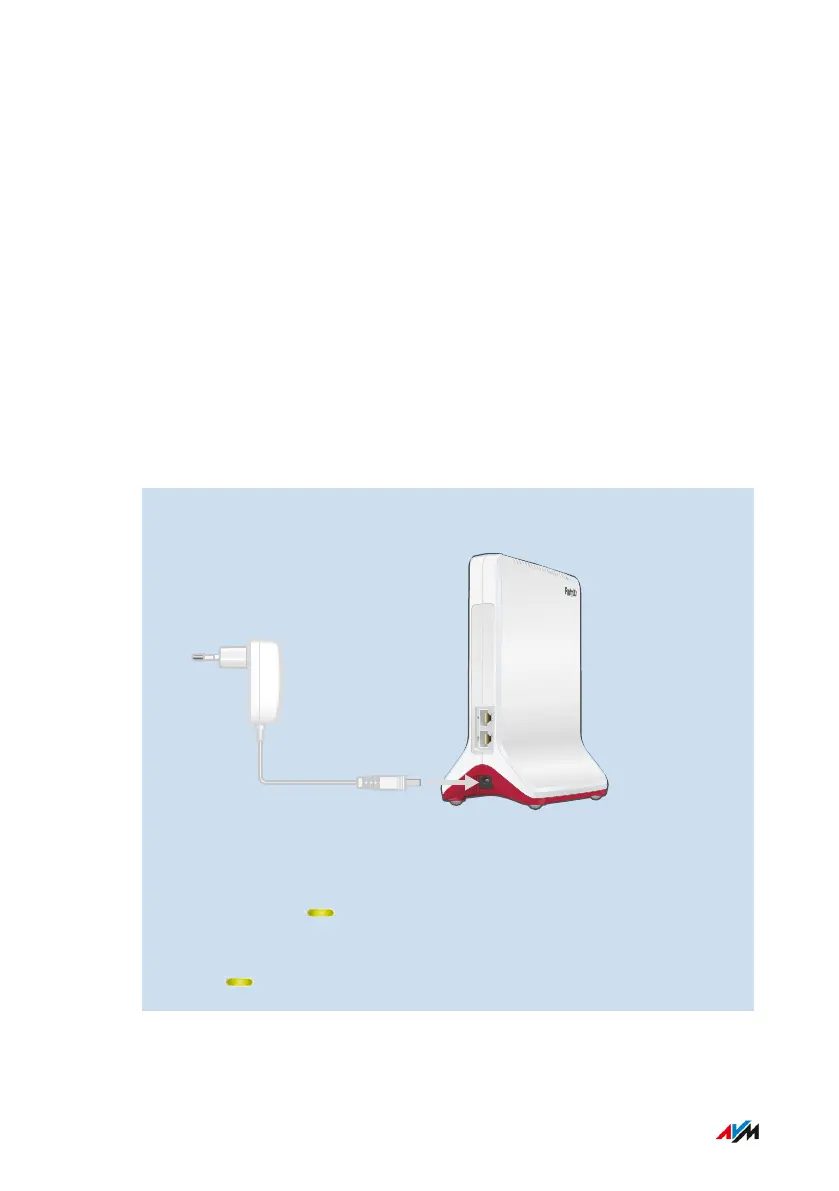
1. Connect the power adapter included with delivery to the “Power”
socket on the FRITZ!Repeater.
2. Insert the power supply into an electrical outlet near the internet
router (FRITZ!Box).
3. Wait until the LED starts flashing slowly.
4. Press the “Connect” button.
The LED flashes faster.
FRITZ!Repeater 6000 25
Connecting
• • • • • • • • • • • • • • • • • • • • • • • • • • • • • • • • • • • • • • • • • • • • • • • • • • • • • • • • • • • • • • • • • • • • • • • • • • • • • • • • • • • • • • • • • • • • • • • • • • • • • • • •
• • • • • • • • • • • • • • • • • • • • • • • • • • • • • • • • • • • • • • • • • • • • • • • • • • • • • • • • • • • • • • • • • • • • • • • • • • • • • • • • • • • • • • • • • • • • • • • • • • • • • • • •















 To Next Page