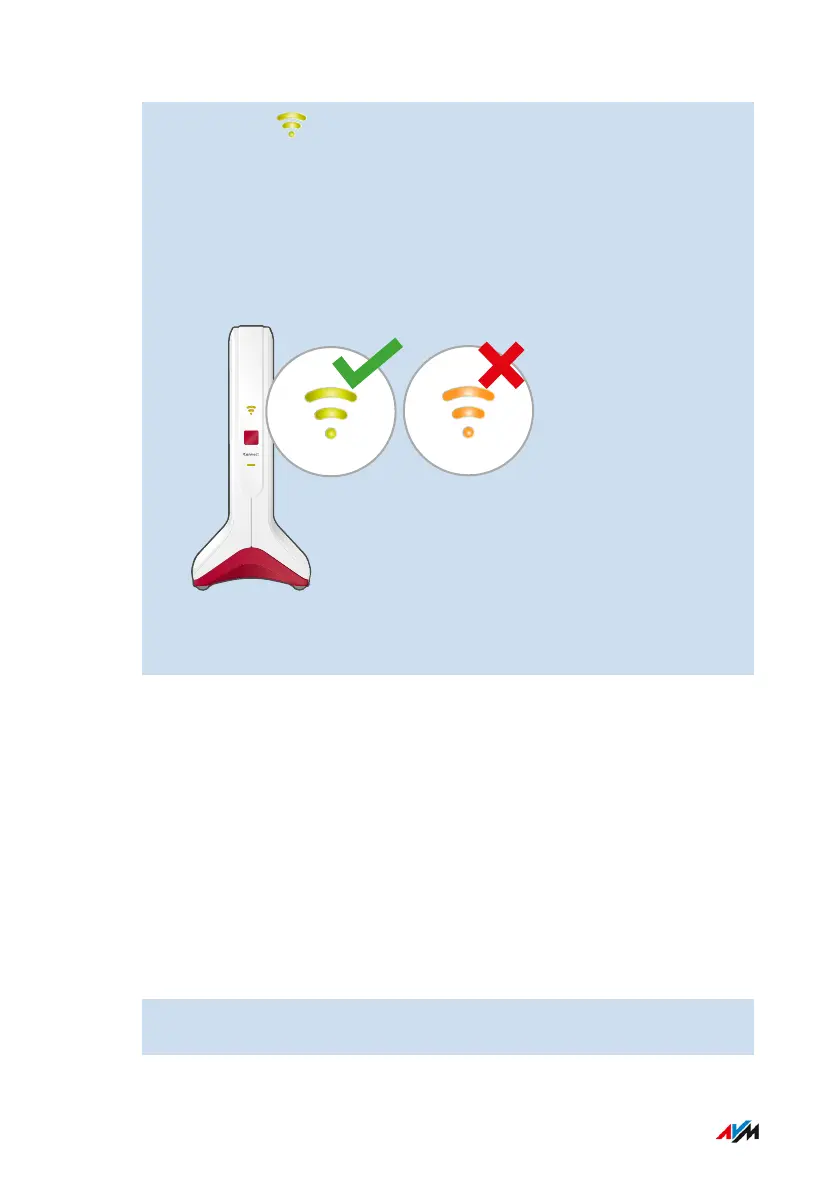
14. Check the LED:
If the LED is lit up green, then the connection has been estab-
lished and the FRITZ!Repeater is positioned well.
If the LED is orange or flashing orange, then the Wi-Fi connec-
tion to the router (FRITZ!Box) is weak (orange) or could not be es-
tablished (flashing orange). Test outlets at other locations; see
page33.
15. To connect to a FRITZ!Box with FRITZ!OS 7.00 or higher, enable
Mesh as well; see page38.
Instructions: Connecting the FRITZ!Repeater to the FRITZ!Box via LAN Cable
Connect the FRITZ!Repeater as described below if your internet router
is a FRITZ!Box that has at least FRITZ!OS version 7.00 or higher.
If you want to connect the FRITZ!Repeater to a FRITZ!Box with an old-
er version of FRITZ!OS (6.9 or lower), then seeInstructions: Connect-
ing the FRITZ!Repeater to the Internet Router (FRITZ!Box) via LAN Ca-
ble Using the Wizard, page30.
Note
The FRITZ!OS version of your FRITZ!Box and your FRITZ!Repeater is
found in the user interface of the FRITZ!Box; see page37.
1. Connect the FRITZ!Repeater with your FRITZ!Box using the LAN
cable.
FRITZ!Repeater 6000 29
Connecting
• • • • • • • • • • • • • • • • • • • • • • • • • • • • • • • • • • • • • • • • • • • • • • • • • • • • • • • • • • • • • • • • • • • • • • • • • • • • • • • • • • • • • • • • • • • • • • • • • • • • • • • •
• • • • • • • • • • • • • • • • • • • • • • • • • • • • • • • • • • • • • • • • • • • • • • • • • • • • • • • • • • • • • • • • • • • • • • • • • • • • • • • • • • • • • • • • • • • • • • • • • • • • • • • •















 To Next Page