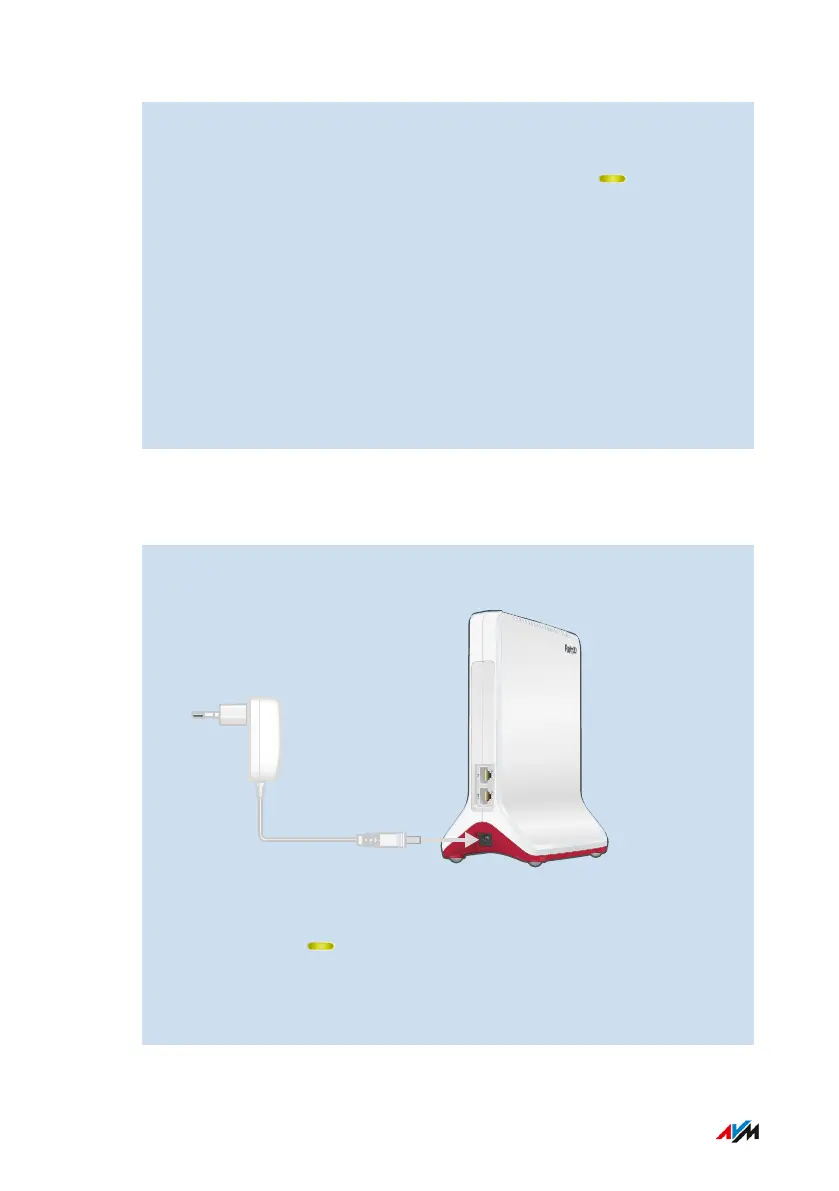
2. Plug the FRITZ!Repeater into an outlet using the power adapter
included with delivery.
The FRITZ!Repeater connects to the FRITZ!Box ( LED flashes
green). The connection is established as soon as both LEDs light
up green.
Until Mesh is enabled, the FRITZ!Repeater uses its standard Wi-
Fi network name and the Wi-Fi network key printed on the bot-
tom of the housing and on the back page of the quick guide.
3. Enable Mesh; see page38.
4. To optimize the Wi-Fi settings of the FRITZ!Repeater for the Wi-Fi
frequencies permitted in its country of operation, set the FRITZ!
Repeater to the country in which it will be used; see page68.
Instructions: Connecting the FRITZ!Repeater to the Internet Router (FRITZ!
Box) via LAN Cable Using the Wizard
1. Connect the power adapter included with delivery to the “Power”
socket on the FRITZ!Repeater.
2. Plug the other end into a electrical outlet.
3. Wait until the LED starts flashing slowly.
4. Connect the FRITZ!Repeater with a computer using a LAN cable,
or establish a Wi-Fi connection between the computer and the
FRITZ!Repeater.
FRITZ!Repeater 6000 30
Connecting
• • • • • • • • • • • • • • • • • • • • • • • • • • • • • • • • • • • • • • • • • • • • • • • • • • • • • • • • • • • • • • • • • • • • • • • • • • • • • • • • • • • • • • • • • • • • • • • • • • • • • • • •
• • • • • • • • • • • • • • • • • • • • • • • • • • • • • • • • • • • • • • • • • • • • • • • • • • • • • • • • • • • • • • • • • • • • • • • • • • • • • • • • • • • • • • • • • • • • • • • • • • • • • • • •















 To Next Page