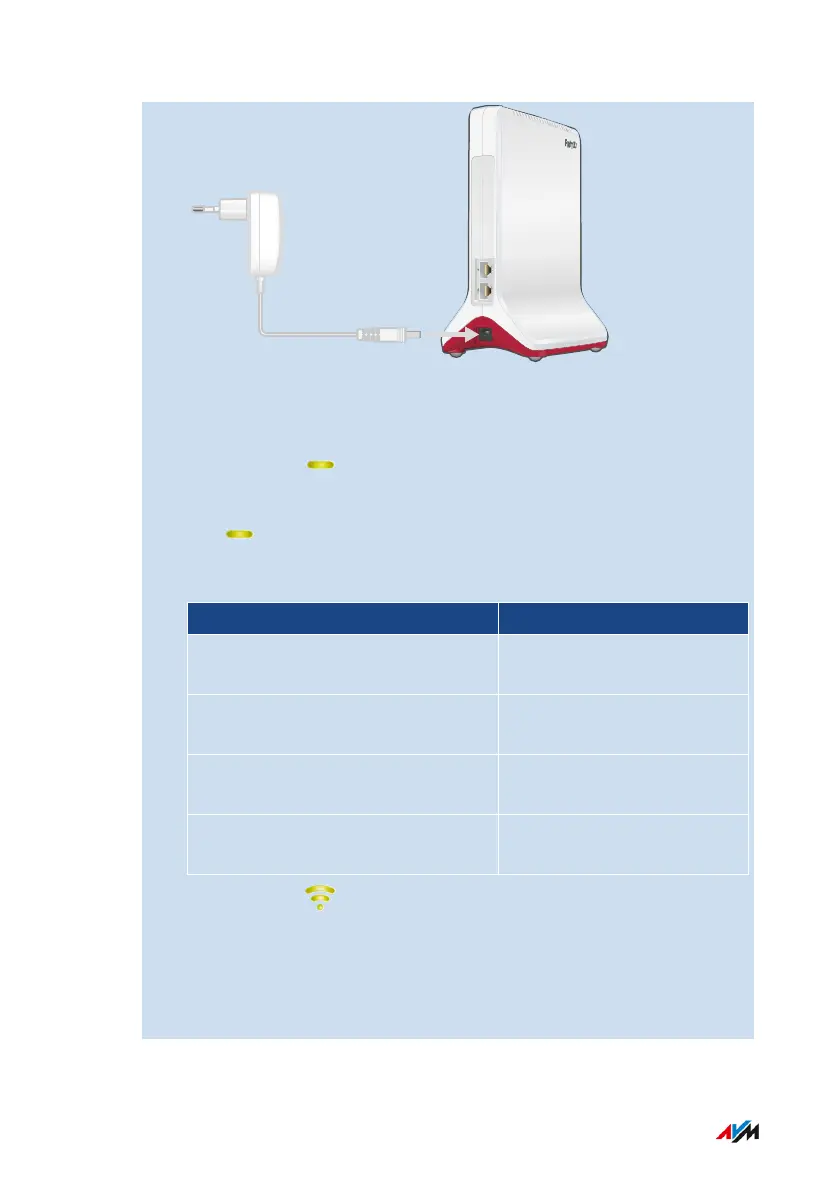
2. Plug the power supply unit into an electrical outlet in the vicinity
of the other MeshRepeater.
3. Wait until the LED starts flashing slowly.
4. Press the “Connect” button.
The LED flashes faster.
5. On the other Mesh Repeater: Start the connection procedure:
Mesh Repeater Start Connecting
FRITZ!Box with “Connect” or
“Connect/WPS” or “WPS” button.
Press button briefly (1 sec-
ond)
FRITZ!Box with “WLAN” or “WLAN/
WPS button”
Press and hold the button
down for at least 6seconds.
FRITZ!Repeater (“Connect” button
or “WPS” button)
Press button briefly (1 sec-
ond)
FRITZ!Powerline (“Connect” button
or “WLAN/WPS” button)
Press button briefly (1 sec-
ond)
6. Wait until the LED on the FRITZ!Repeater lights up green.
The Wi-Fi connection to the other Mesh Repeater has been estab-
lished.
7. Connect the FRITZ!Repeater to an electrical outlet where it is to
expand the Wi-Fi network.
FRITZ!Repeater 6000 41
Mesh
• • • • • • • • • • • • • • • • • • • • • • • • • • • • • • • • • • • • • • • • • • • • • • • • • • • • • • • • • • • • • • • • • • • • • • • • • • • • • • • • • • • • • • • • • • • • • • • • • • • • • • • •
• • • • • • • • • • • • • • • • • • • • • • • • • • • • • • • • • • • • • • • • • • • • • • • • • • • • • • • • • • • • • • • • • • • • • • • • • • • • • • • • • • • • • • • • • • • • • • • • • • • • • • • •















 To Next Page