8. The FRITZ!Repeater starts and restores the connection to the
other MeshRepeater ( LED flashes green). Wait 1-2minutes.
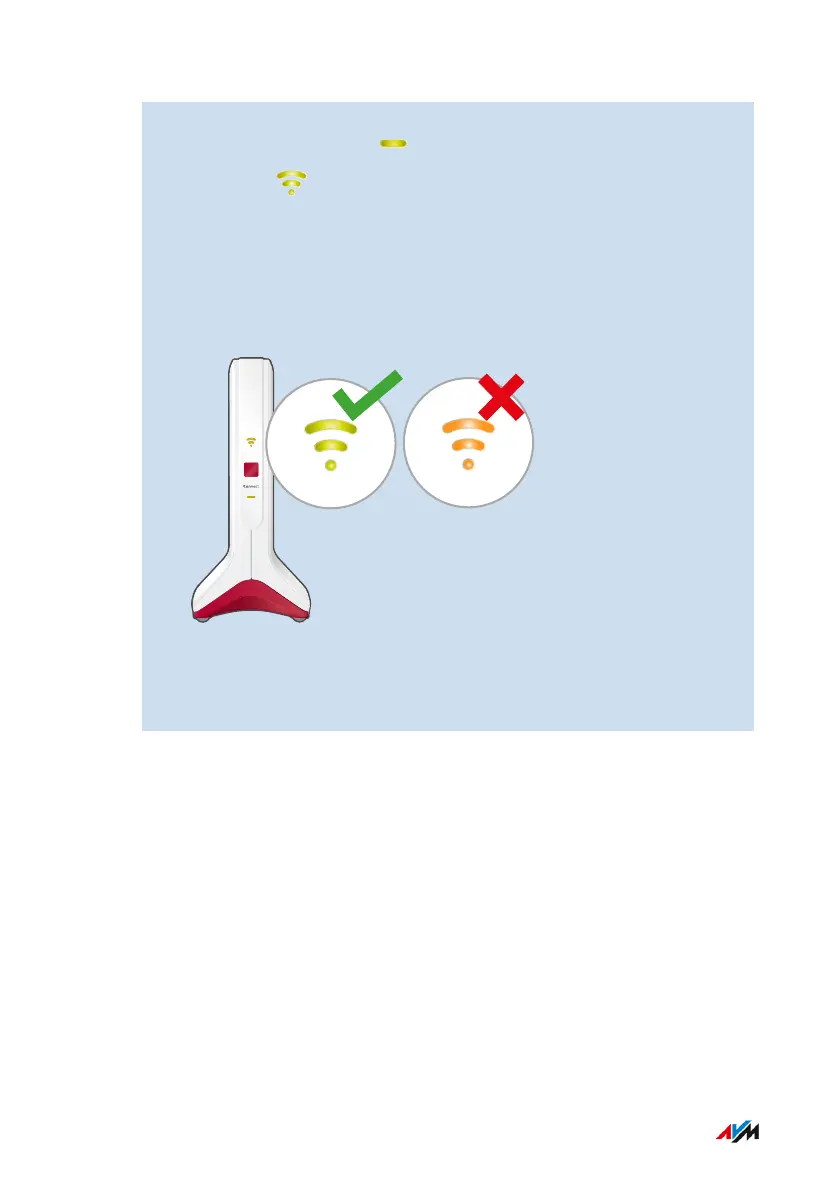
9. Check the LED:
If the LED is lit up green, then the connection has been estab-
lished and the FRITZ!Repeater is positioned well.
If the LED is orange or flashing orange, then the Wi-Fi connection
to the FRITZ!Box is weak (orange) or could not be established
(flashing orange). Test outlets at other locations; see page33.
10. Enable Mesh by pressing the button on the newly configured
FRITZ!Repeater and on the FRITZ!Box configured as the Mesh
Master; see page38.
FRITZ!Repeater 6000 42
Mesh
• • • • • • • • • • • • • • • • • • • • • • • • • • • • • • • • • • • • • • • • • • • • • • • • • • • • • • • • • • • • • • • • • • • • • • • • • • • • • • • • • • • • • • • • • • • • • • • • • • • • • • • •
• • • • • • • • • • • • • • • • • • • • • • • • • • • • • • • • • • • • • • • • • • • • • • • • • • • • • • • • • • • • • • • • • • • • • • • • • • • • • • • • • • • • • • • • • • • • • • • • • • • • • • • •















 To Next Page