3.3 Heating the boiler
3.3.1 Switching on the system
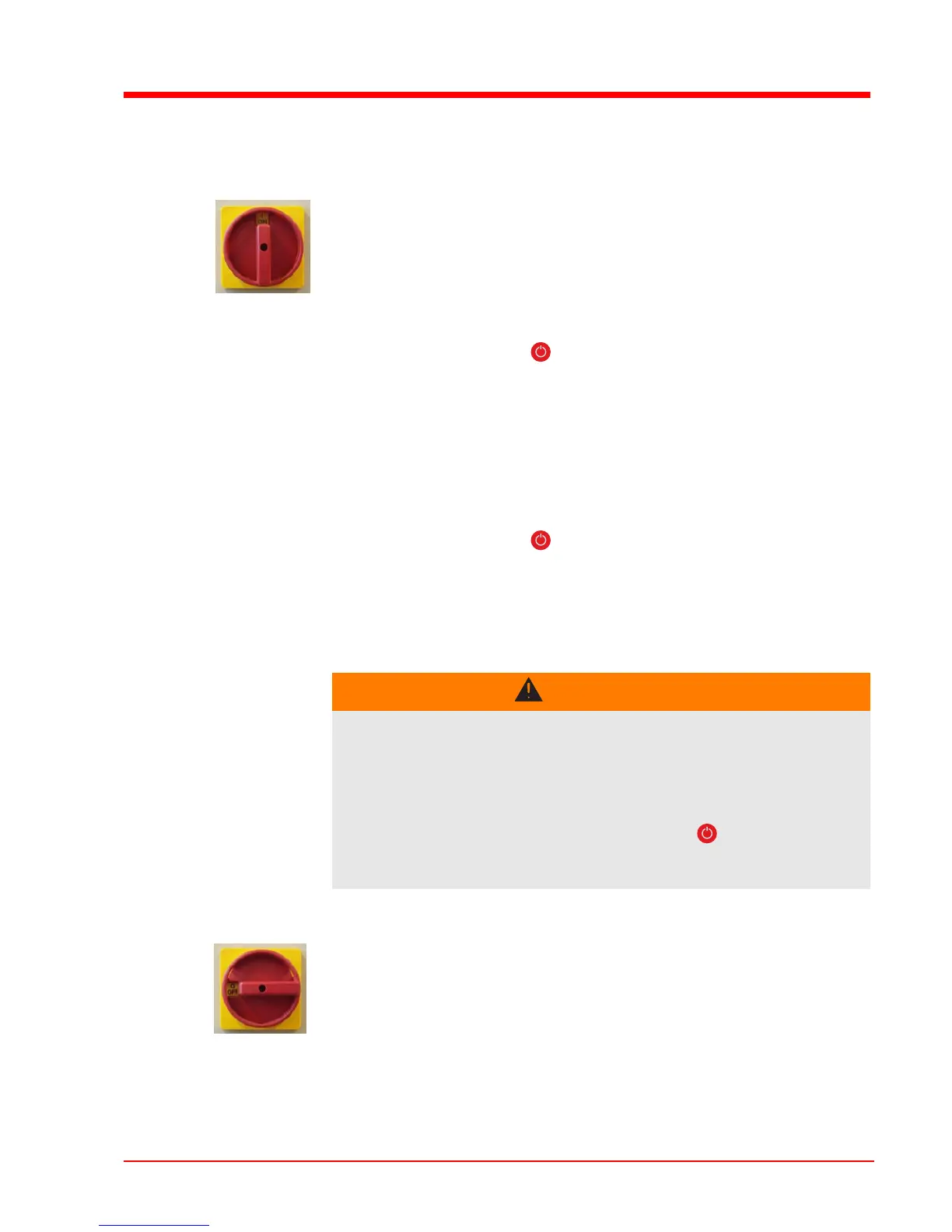
Turn the main switch on the side of the switch cabinet to the “ON”
position
After the system check by the controller, the system is ready for
operation
“Boiler Off” is shown on the display
3.3.2 Switching on the boiler
Press the standby key ( )
Automatic mode is activated
The heating system is controlled via the controller according to
the selected mode.
3.3.3 Controlling the boiler
See the operating instructions for the Lambdatronic H 3200
3.3.4 Switching off the boiler
Press the standby key ( )
The boiler follows the shut-down program and switches to “Boiler
OFF” status.
The combustion unit is switched off, the chamber discharge unit
and the active hydraulic system are active
3.3.5 Switching off the System
WARNING
When switching off the main switch in automatic mode:
Serious combustion faults leading to serious accidents are possible!
Before switching off the main switch:
Switch off the boiler by pressing the standby key ( )
Boiler follows shutdown procedure and changes to the
operating status “Boiler off”
CAUTION! Only when the boiler is cold, in “Boiler Off” status!
Switch off the main switch on the controller
The controller is switched off
The components powered via the switch cabinet are powered
down
The expansion switch cabinet, which has its own power supply, is
still live!





 To Next Page