LOV
™
Technical Reference
11
M2007 Computer
Overview
The M2007 computer retains the one-button ease of the M2000 and M100B, combining it with the
utility of 40-product menu capability. It will operate with electric and gas fryers, and both full- and
split-vat.
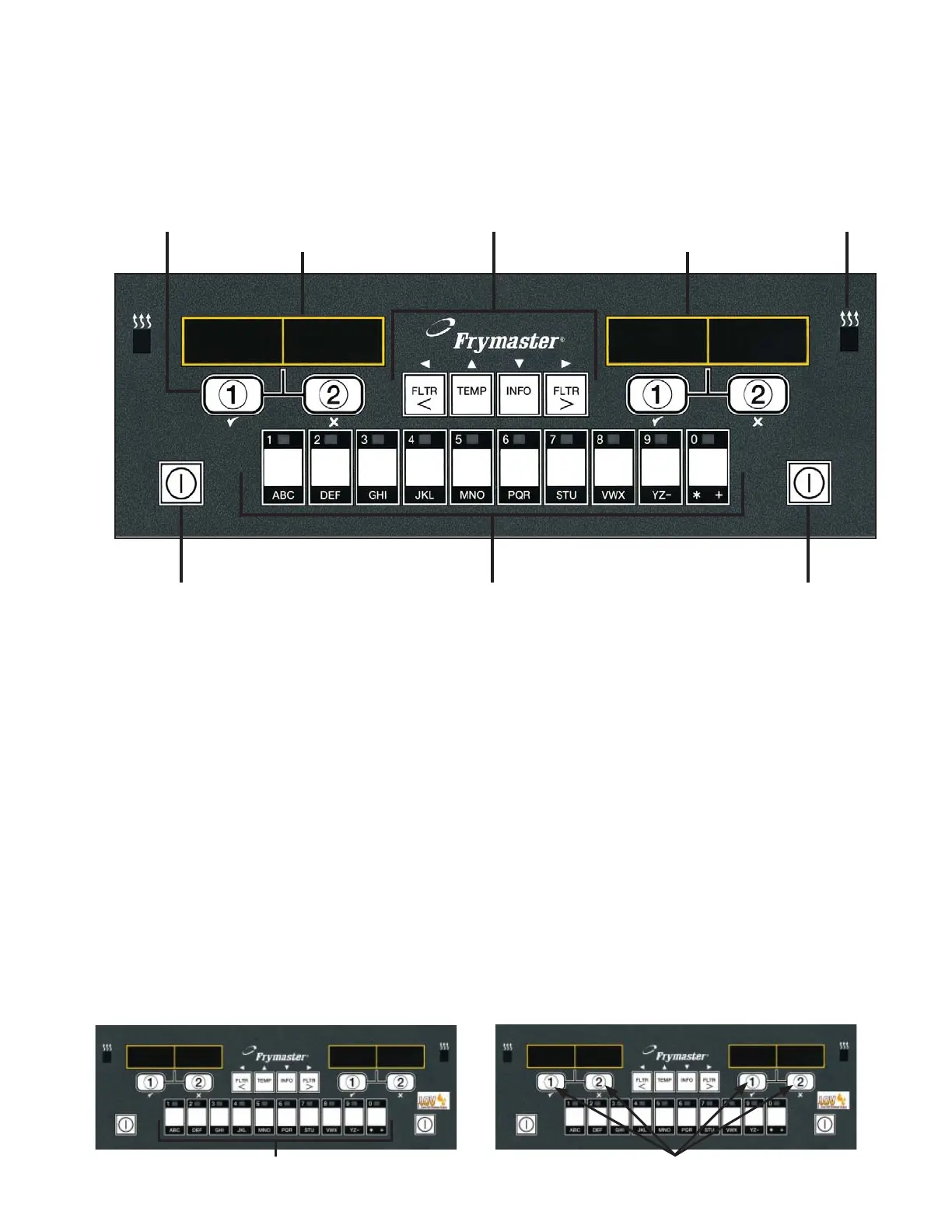
On single product vats, press any of the cook cycle buttons to begin cooking. On multi-product vats,
press a product button and then a cook cycle button under the display showing the desired product
name.
For example, a typical the M2007 computers on a 3-vat fry station will display FR FRIES.
Pressing one of the cook cycle buttons will begin a cook cycle for French fries.
The chicken/fi let station will usually display dashed lines [----]. Pressing the product button
assigned to McChicken, for example, will cause mcchick to be displayed. Then, press a cook
cycle button beneath the word mcchick to start a cook cycle for McChicken.
---- ----
---- ----
MCC HICK MCC HICK
Product Buttons Cook Cycle Buttons
ON/OFF ON/OFFProduct Buttons
Filter, Temp, Info, Programming
and Navigation Buttons
Cook Cycle and
Selection Buttons
Heat Indicator
Lamp
LED Display
LED Display















 To Next Page