LOV
™
Technical Reference
34
Board Replacement
ATO Replacement
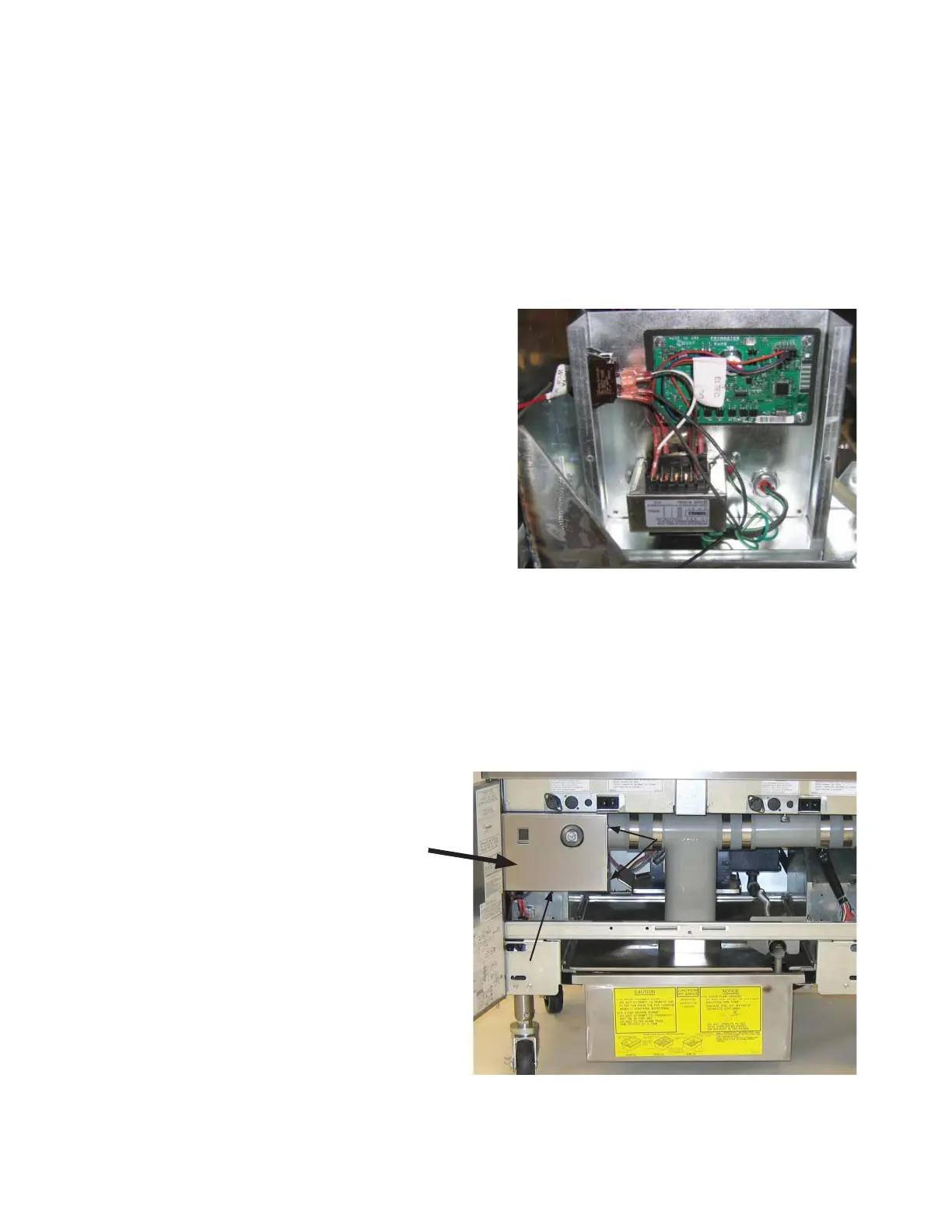
The ATO board is located inside the box behind the JIB. It is connected to three phase power in elec-
tric fryers and should be approached with extra caution.
1. Disconnect the fryer from the electrical power
supply.
2. Locate the ATO box behind the JIB (Jug In
Box).
3. Remove the cover to expose the transformer and
ATO board.
4. Mark and unplug any wires or harnesses.
5. Replace the defective component and reattach
all wires or harnesses.
6. Replace the cover, then reconnect the power.
7. Turn power off and back on to all computers
after power has been restored to the ATO board.
MIB Replacement
The MIB controller is located inside the left cabinet (see image below). In normal operation, a cover
hides the MIB controls. The LED display is visible.
1. Disconnect the fryer from the elec-
trical power supply.
2. Remove the three torx screws from
the MIB cover, exposing the MIB
board (see image at right).
3. Removing the four nuts in the
corners of the board will expose
the connections on the back of the
board.
4. Disconnect the MIB board and care-
fully remove the plugs on the rear of
the board (see image at right).
5. Replace with a new MIB board and
reverse steps to reassemble.
6. Once replaced, reconnect the power.
MIB controller cover (three screws hold it in place).
1 screw
2 screws
Cover















 To Next Page