LOV
™
Technical Reference
6
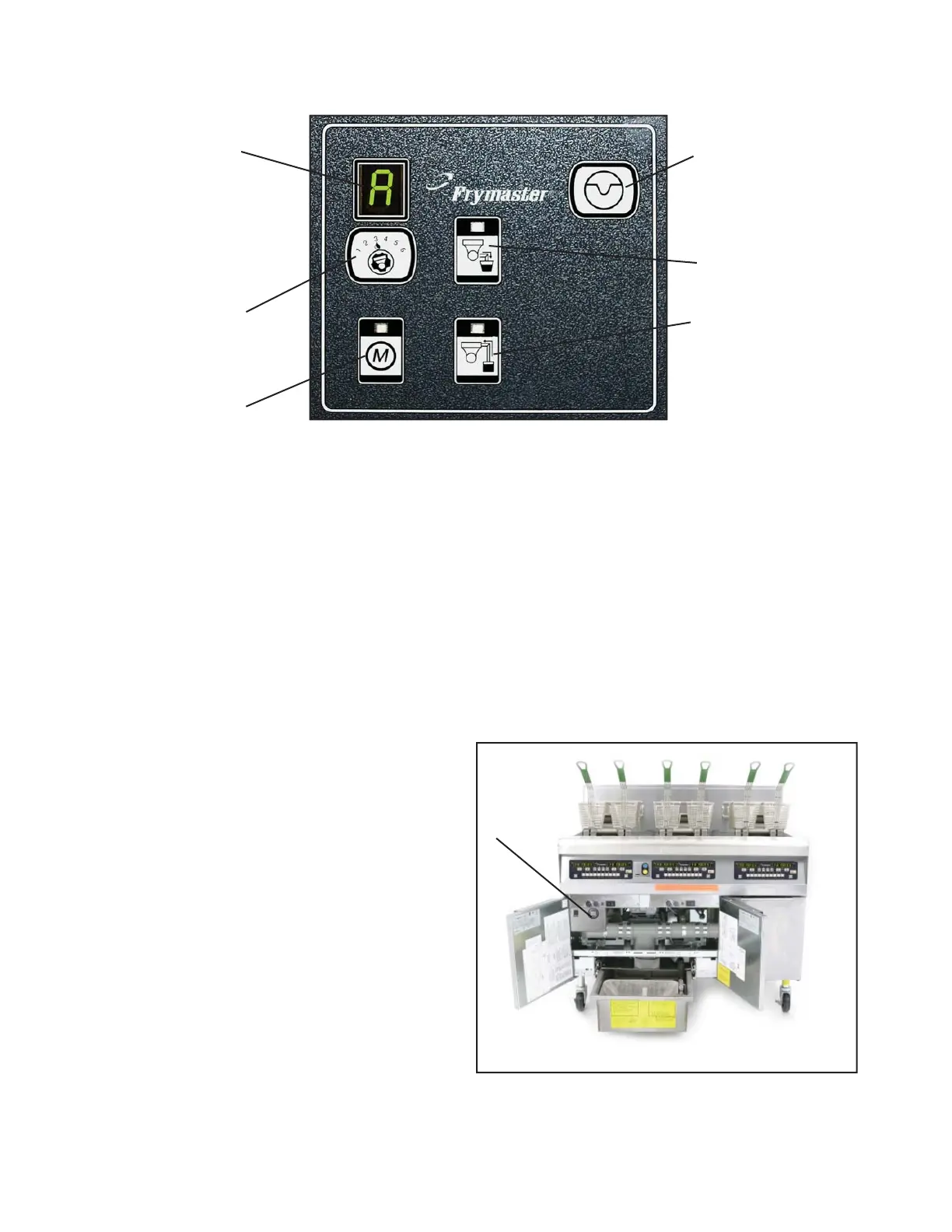
Manual — Used to toggle between automatic
and manual fi ltration mode. The unit must be
in manual mode for the other MIB buttons to
operate.
Select — Used to scroll through the vats, which
are shown numerically in the LED.
Drain — Used to open and close the drain
valve of the vat indicated on the display.
When pressed an LED on the button indicates
activity: slow blink, awaiting response from
AIF; LED illuminated constantly, drain open;
no illumination, drain closed; rapid blink, no
response from AIF.
Return — Used to open and close the return
valve on the vat indicated on the display. It also
controls the pump. When pressed an LED on the
button indicates activity: slow blink, awaiting
response from AIF; LED illuminated constantly,
drain open; no illumination, drain closed; rapid
blink, no response from AIF. The pump turns off
before closing the return valve; the return valve
opens before the pump is turned on.
The mode display on the face of the MIB board
displays a range of letters, which indicate
activity or an error.
These codes are listed on the next page.
The MIB board
Mode Display
Shows status
(auto or manual)
vat number (when
operating valves
manuals) and dis-
plays error codes.
Manual/Auto
Switches fryer from
auto to manual
operation.
Reset
Resets system,
ensures all valves
are closed.
Drain
Opens and closes
drain valves in
manual mode.
Vat Selection
Selects vat for
manual operation of
valves.
Return
Opens and closes
return valves and
turns on fi lter
pump in manual
mode.
The MIB is mounted behind the left door. See arrow.















 To Next Page