Basic Operation 37
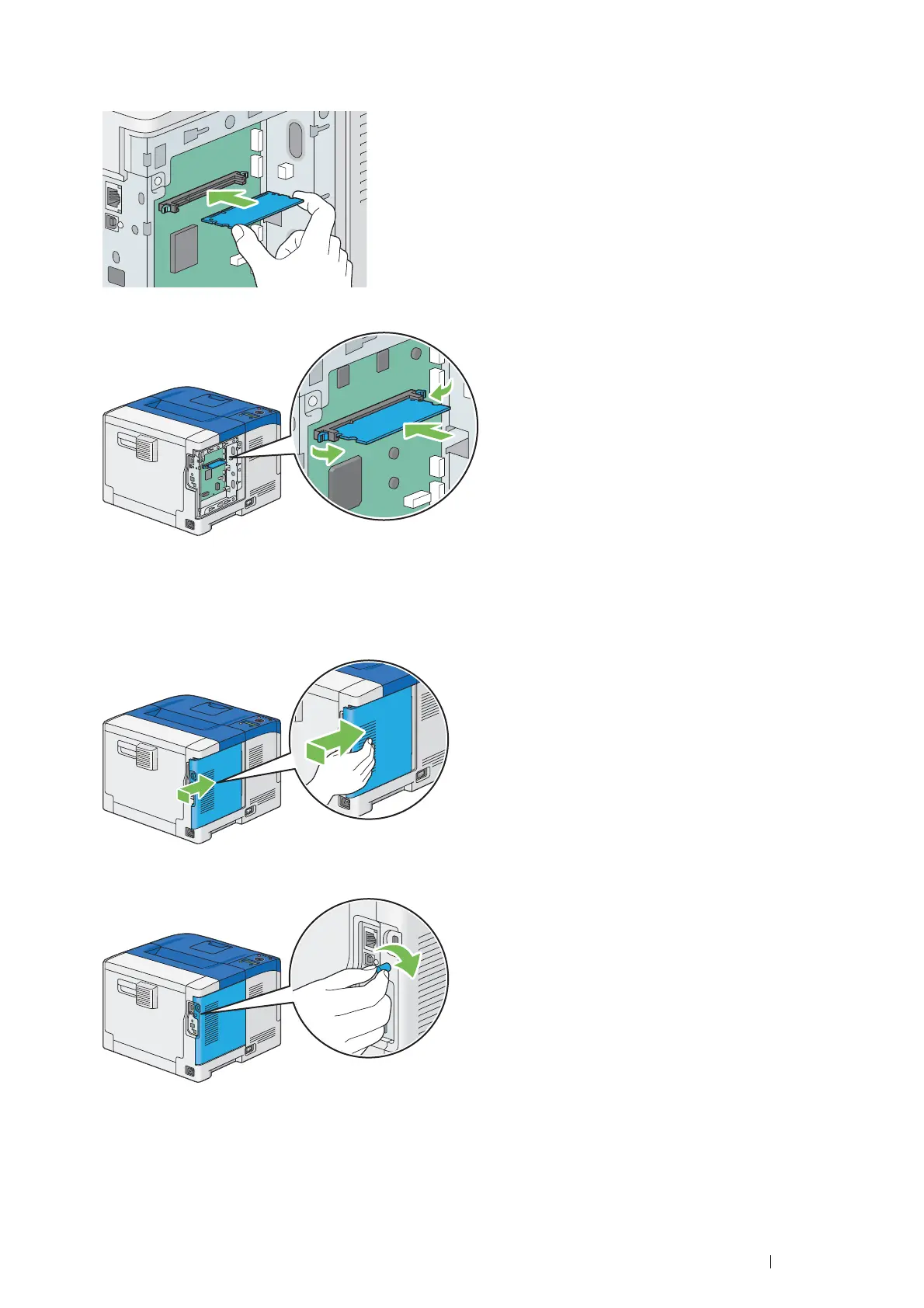
4 Hold the edge of the memory module with the labeled side down and the connector toward the control board,
and then insert it into the slot.
5 Push the memory module firmly into the slot.
NOTE:
• Ensure that the memory module is firmly fixed in the slot and does not move easily.
6 Align the guide on the control board cover with the slot around the control board, and slide it towards the front
of the printer.
7 Turn the screw clockwise.



 To Next Page
 Loading...