7
NA_EN
Connecting and Printing
When Establishing Connection for the First Time
1
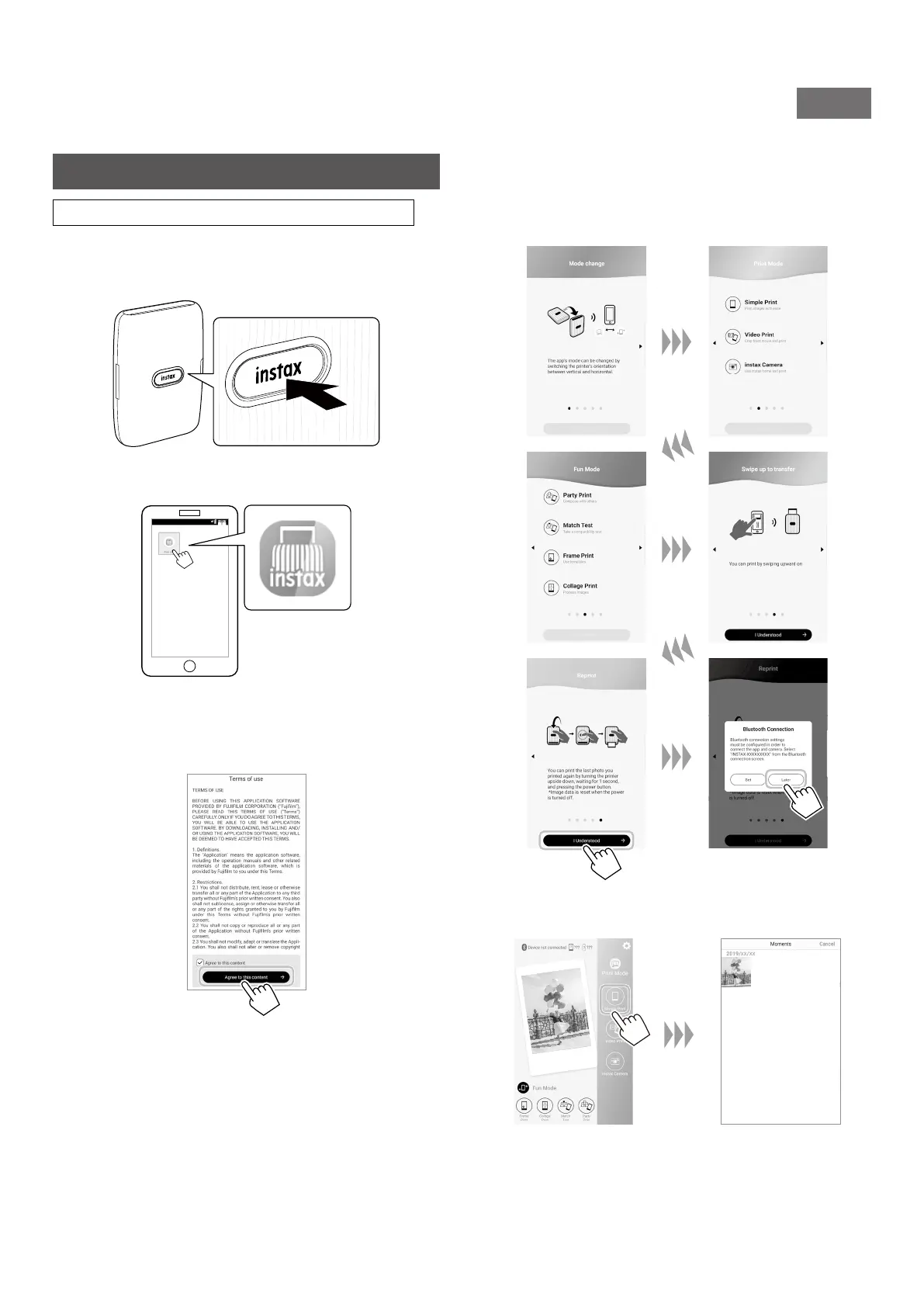
Press and hold the Power button for approximately
1 second to turn the printer on�
The LED lights up.
2
Start the downloaded INSTAX Mini Link App�
3
Read the terms of use, then put a checkmark in the
[Agree to this content] box, and tap [Agree to this
content →]�
4
Quick instructions are displayed� Read the
instructions and tap [I Understood →]�
Set the [Bluetooth Connection] to [Later].
[Bluetooth Connection] can also be set in the process of
printing.
5
Select the desired image to be printed�













 To Next Page