9
NA_EN
When the Printer and Your Smartphone Are Already
Connected
1
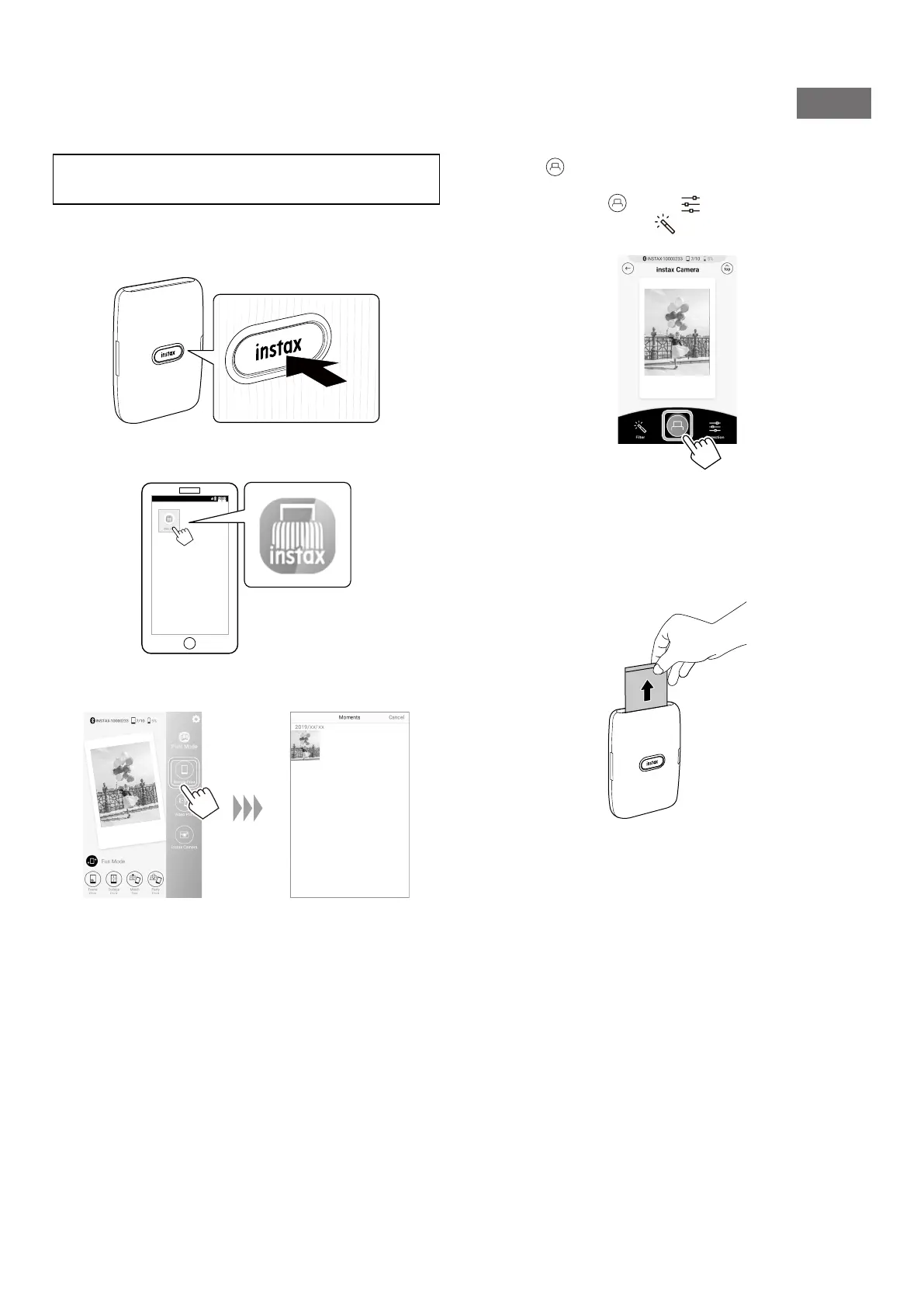
Press and hold the Power button for approximately
1 second to turn the printer on�
The LED lights up.
2
Start the downloaded INSTAX Mini Link App�
3
Select the desired image to be printed�
4
Tap or swipe the image up on the screen�
The printer starts printing.
Before tapping , tapping on the lower right adjusts
the image and tapping on the lower left applies a filter
to the image.
5
When the film has been ejected (the printer stops
making a sound), hold the edge of the film, then
take it out�
You can confirm the number of films remaining on the
screen of the smartphone.













 To Next Page