OVERVIEW
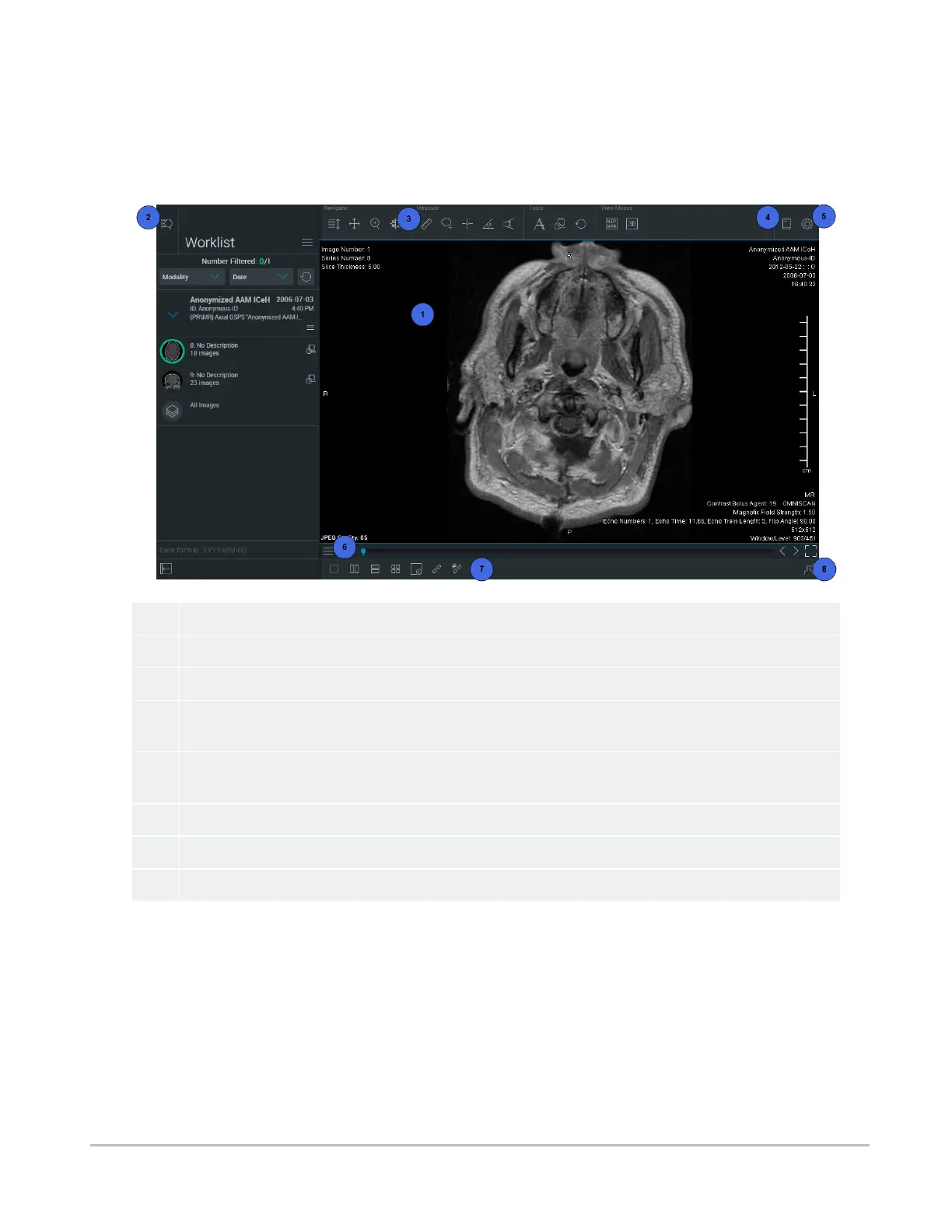
The viewer displays images and data, and provides tools for interacting with these images and data in
various view modes.
1
The main view, where you can see the image currently selected.
2
The
Data Panel
tool. To access search, search results or the worklist.
3
The top toolbar. To access commonly used tools in the viewer.
4 The Documentation menu. To access this user guide, the hotkey reference, and information about the
software. On smaller screens, the documentation is accessible from the Settings menu
5
The
Settings
menu. To configure the view. See
Configuring the display settings
. On smaller screens, you
can use this menu to configure the toolbar and to access documentation.
6
The
view
menu.
7
2D layouts (1x1, 2x1, 1x2, and 2x2). See
Selecting a layout
.
8
The
Collaboration
tool. See
Collaborating in real-time
.
Synapse® Mobility User Guide for HTML5 Viewer
Confidential and Proprietary
DOC-0046692-A
30













 To Next Page