FORWARDING STUDIES
The study forwarding feature allows you to send patient data (the selected study) to another institution. For
example, this could be used in a primary stroke center to forward patient data to a comprehensive stroke
center.
This feature is only available if study forwarding has been enabled by the system
administrator.
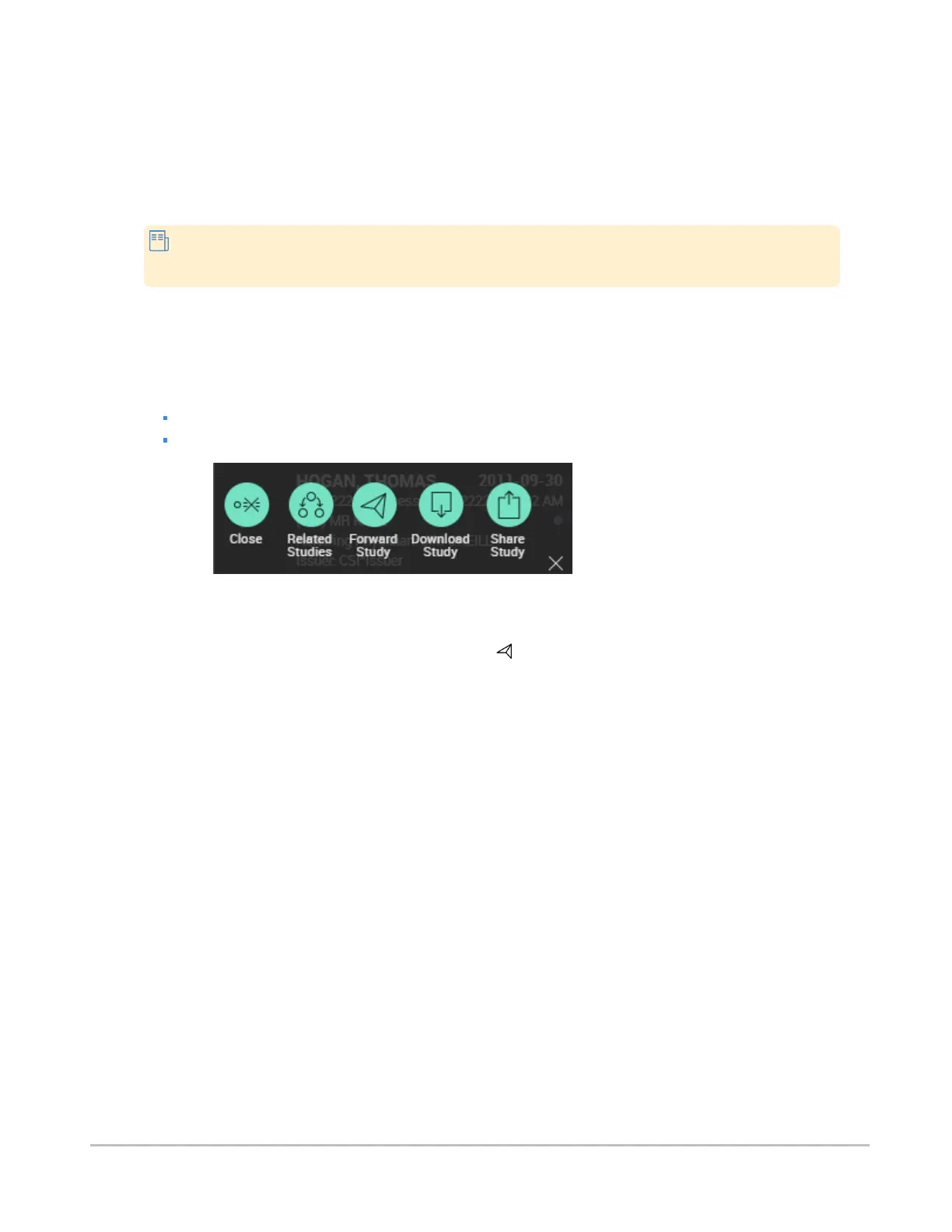
The option to forward studies is available from that study's menu, which is displayed beside the study in the
search results, and in the worklist.
To forward a study
Do one of the following:
Select Forward Study from the study menu in the search results.
Select Forward Study from the study menu in the worklist (see Worklist menus).
The operation of forwarding a study cannot be undone. To prevent accidental forwarding of patient data, a
dialog box will appear asking you to confirm that this is really what you want to do. Click Forward to accept.
Once a study has been sent, the forwarded study icon ( ) will displayed besides the study in the search
results and in the worklist, for easy identification.
Synapse® Mobility User Guide for HTML5 Additional features
Confidential and Proprietary
DOC-0046692-A
57













 To Next Page