30
Taking Photographs
Touch Zoom
Touch controls can be used for digital zoom, regardless of the mode selected for K TOUCH SCREEN
MODE in the shooting menu.
1
Select ON for M TOUCH ZOOM in the shooting menu.
2
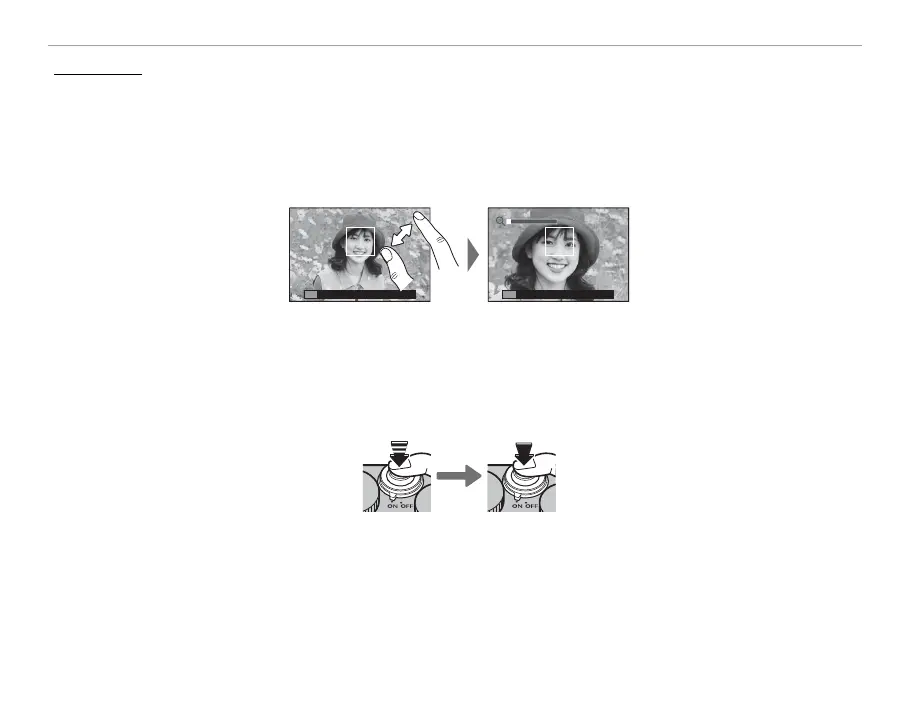
Use pinch-out and pinch-in gestures (P 34) to zoom in and out using digital zoom.
R Regardless of where you place your ngers, the camera will zoom in on and out from the center of the
frame.
R The camera will focus on the area selected for G AUTOFOCUS SETTING> FOCUS AREA. If AREA is se-
lected for K TOUCH SCREEN MODE, you can select the focus area by tapping the display.
3
Take pictures.



 To Next Page