70
Self-Portraits (SELFIE)
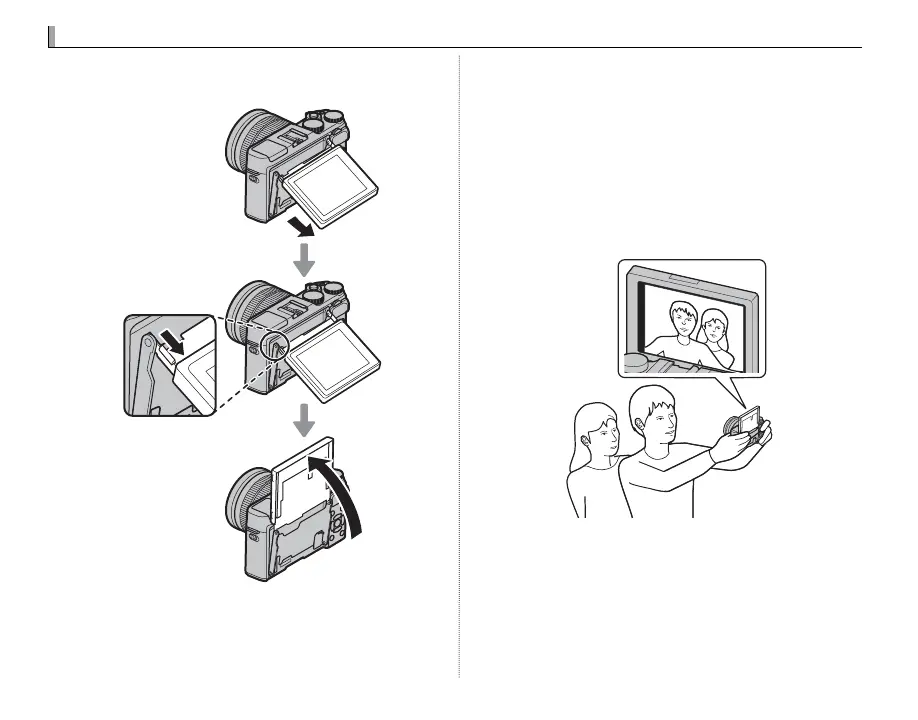
To shoot a self-portrait, rotate the LCD monitor as
shown.
R Rotating the LCD monitor 180° automatically sets
G AUTOFOCUS SETTING> FACE/EYE DETEC-
TION SETTING to FACE ON/EYE AUTO (P 86). The
LCD monitor shows a mirror image of the view
through the lens, and you can release the shutter by
pressing the center of the sub-command dial. Re-
gardless of the option selected for A SCREEN SET-
UP> IMAGE DISP., pictures will be displayed for 1.5
seconds after shooting (P 100).



 To Next Page