39
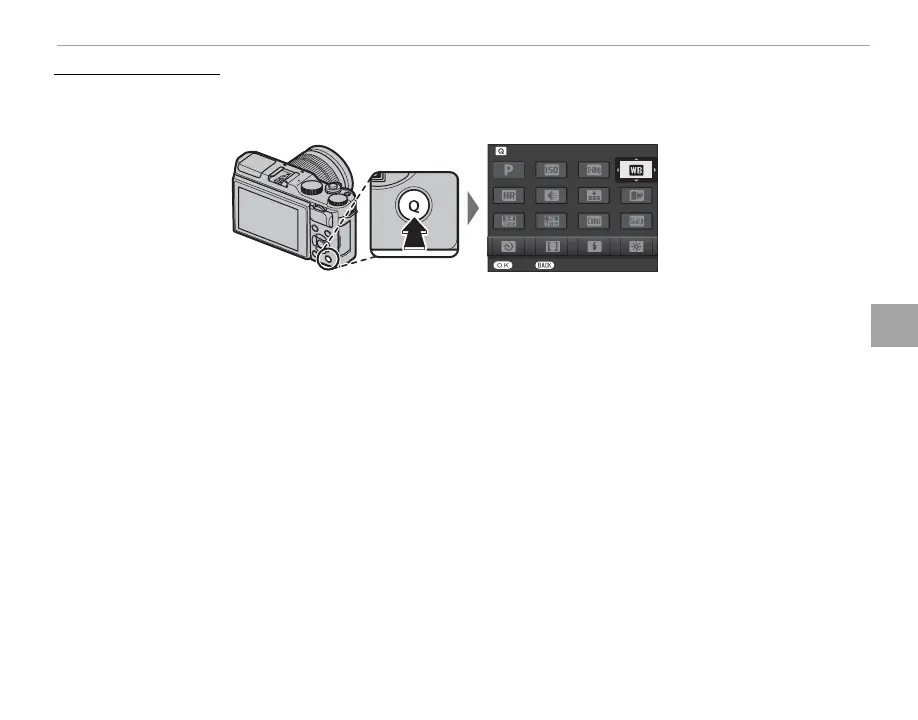
The Q (Quick Menu) Button
Using the Q Button
Editing the Quick Menu
To choose the items displayed in the quick menu:
1
Press and hold the Q button during shooting.
SET END
WHITE BALANCE
2
The current quick menu will be displayed; use the selector to highlight the item you wish to change
and press MENU/OK. You will be given the following choice of items to assign to the selected position:
• ISO
• DYNAMIC RANGE
• WHITE BALANCE
• NOISE REDUCTION
• IMAGE SIZE
• IMAGE QUALITY
• FILM SIMULATION
• HIGHLIGHT TONE
• SHADOW TONE
• COLOR
• SHARPNESS
• SELF-TIMER
• FACE/EYE DETECTION SETTING
• PHOTOMETRY
• AF MODE
• FLASH MODE
• FLASH COMPENSATION
• IS MODE
• MF ASSIST
• MOVIE MODE
• MOVIE ISO
• MIC LEVEL ADJUSTMENT
• SOUND & FLASH
• LCD BRIGHTNESS
• LCD COLOR
• SHUTTER TYPE
• NONE
R Select NONE to assign no option to the selected position.
3
Highlight the desired item and press MENU/OK to assign it to the selected position.
R The quick menu can also be edited using the h BUTTON SETTING> EDIT/SAVE QUICK MENU option
in the setup menu (P 102).



 To Next Page