26
2
First Steps
Charging the Battery
The battery is not charged at shipment. Charge the battery
before use.
O
•
An NP-W126S rechargeable battery is supplied with the camera.
•
Turn the camera o before charging the battery.
•
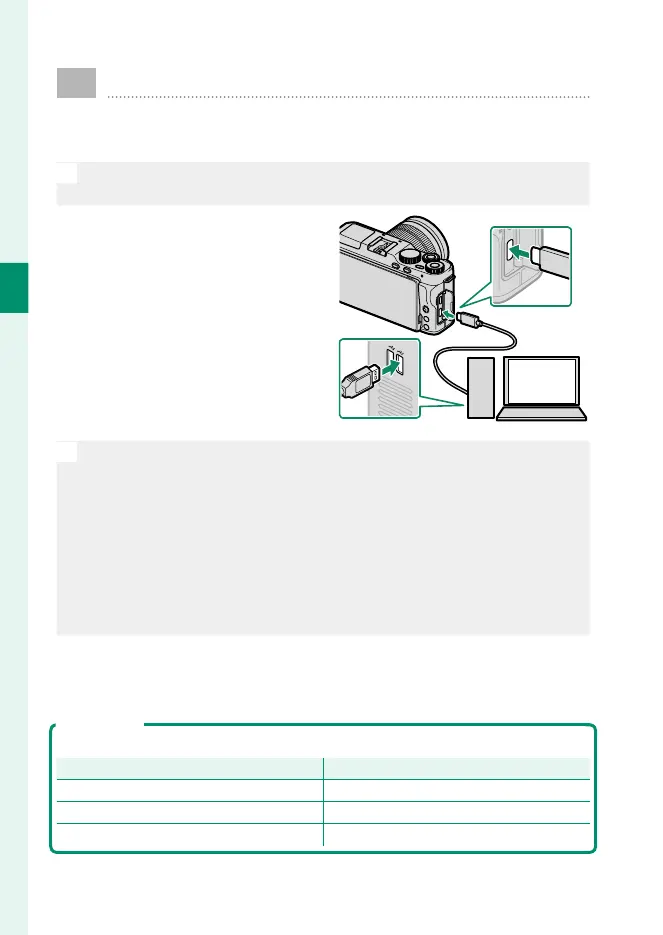
The camera can be charged via
USB. USB charging is available
with computers with a manu-
facturer-approved operating
system and USB interface.
Leave the computer on
during charging.
O
•
The battery will not charge while the camera is on.
•
Use the supplied USB cable.
•
Connect the camera directly to the computer; do not use a USB hub
or keyboard.
•
Charging stops if the computer enters sleep mode; to resume
charging, activate the computer and disconnect and reconnect the
USB cable.
•
Charging may not be supported depending on the model of com-
puter, computer settings, and the computer’s current state.
•
To charge the battery from a household AC power outlet, use a
BC-W126S battery charger (available separately).
Charge Status
The indicator lamp shows battery charge status as follows:
Indicator lamp
Battery status
On Battery charging.
Off Charging complete.
Blinks Battery fault.



 To Next Page