80
5
Taking Photographs
2 SEC/10 SEC
The shutter is released 2 or 10 seconds after the shutter button
is pressed.
1
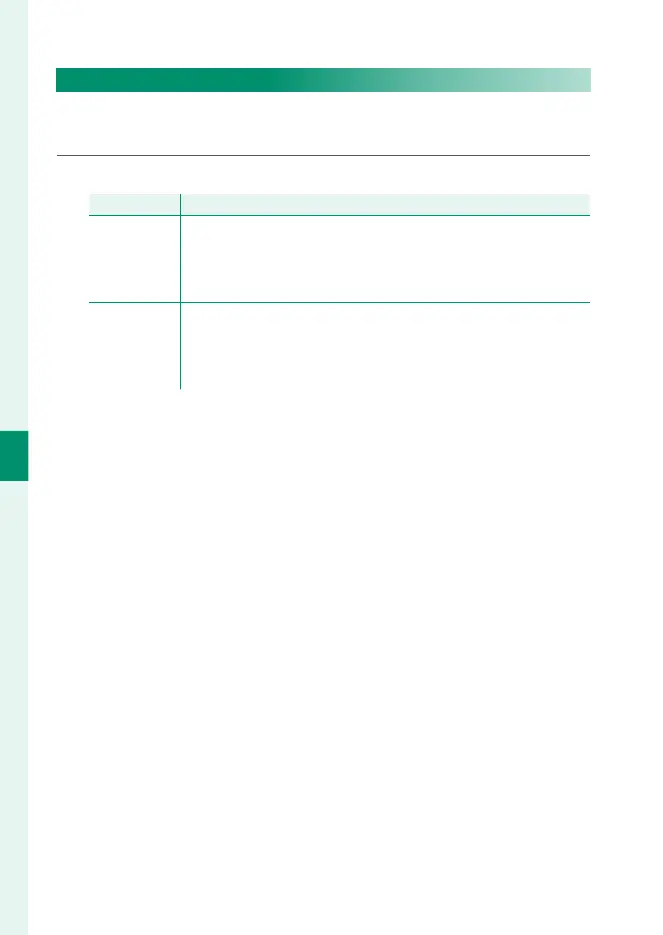
Select either of the following options in the self-timer menu.
Option
Description
R
2 SEC
The shutter is released two seconds after the shutter button
is pressed. Use to reduce blur caused by the camera moving
when the shutter button is pressed. The self-timer lamp blinks
as the timer counts down.
S
10 SEC
The shutter is released ten seconds after the shutter button
is pressed. Use for photographs in which you wish to appear
yourself. The self-timer lamp blinks immediately before the pic-
ture is taken.
2
Press the shutter button all the way down to start the timer.
A count-down timer will appear in the display; the picture
will be taken when the timer expires.



 To Next Page