57
5
Taking Photographs
Choosing a Shooting Mode
SP SCENE POSITION /h/M/N/O
The camera o ers a choice of “scenes”, each adapted to particular
shooting conditions or a speci c type of subject.
1
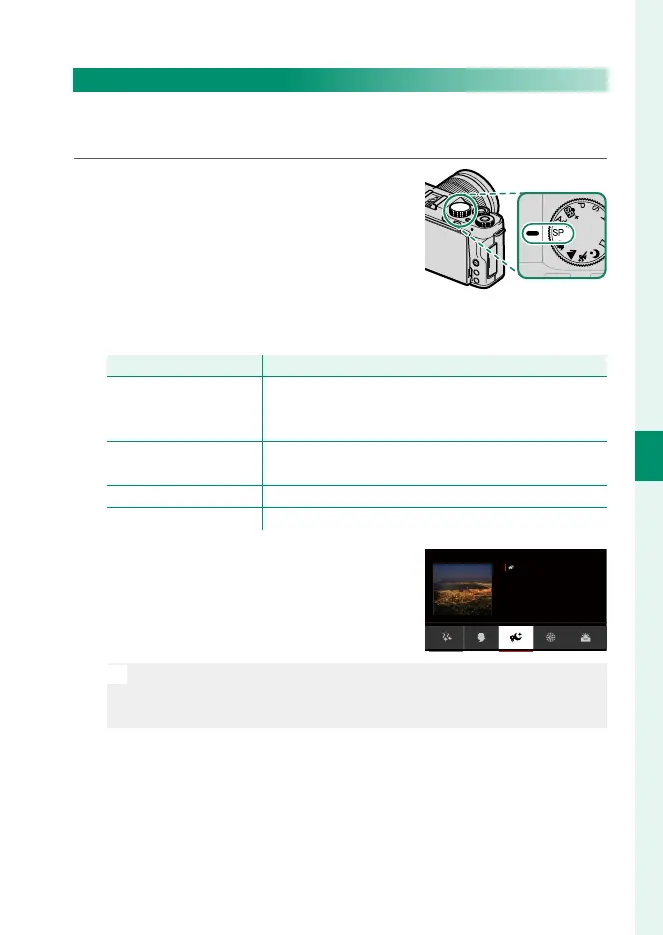
Rotate the mode dial to SP (SCENE
POSITION).
The following scenes can be selected directly using the
mode dial:
Scene
Description
h
PORTRAIT
ENHANCER (
Z
)
Choose for a smooth skin eff ect when shooting por-
traits. You can choose the portrait enhancement lev-
el in the touch menu.
M
LANDSCAPE
Choose for daylight shots of buildings and land-
scapes.
N
SPORT Choose when photographing moving subjects.
O
NIGHT Choose for poorly lit twilight or night scenes.
2
Press MENU/OK while the mode de-
scription is displayed.
Clear shots of
night scenery with a
slow shutter speed.
NIGHT(TRIPOD)
SCENE POSITION
N
If the view through the lens is displayed in the LCD monitor, press
MENU/OK and select A SHOOTING SETTING> SCENE POSITION
in the shooting menu.



 To Next Page