59
5
Taking Photographs
Choosing a Shooting Mode
j Multiple Exposures
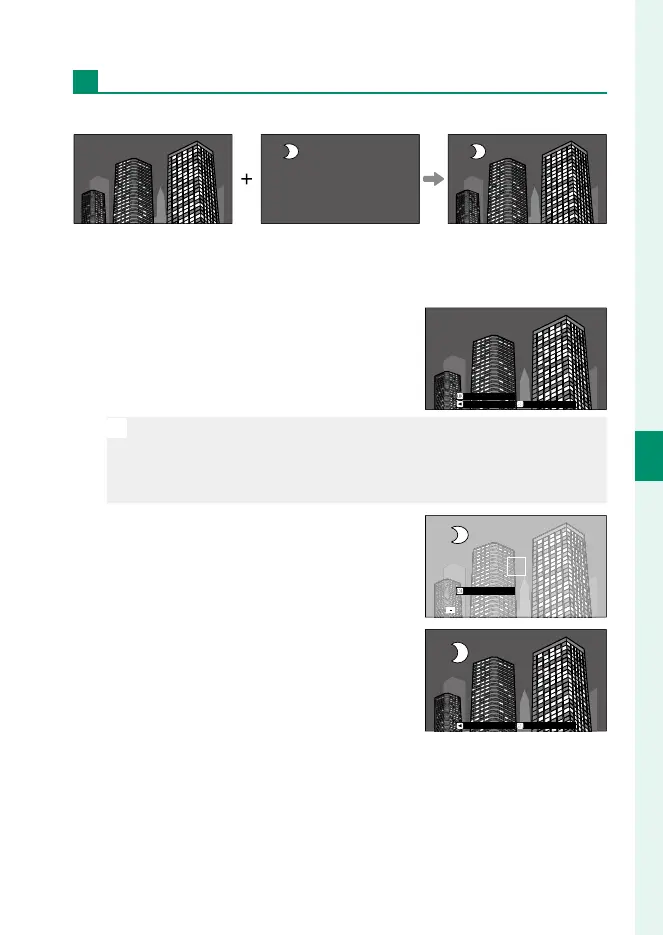
Create a photograph that combines two exposures.
1
Select j MULTIPLE EXPOSURE in the scene position menu.
2
Take the rst shot.
3
Press MENU/OK. The rst shot will be
shown superimposed on the view
through the lens and you will be
prompted to take the second shot.
EXITRETRY
NEXT
N
•
To return to Step2 and retake the rst shot, press the focus stick
(focus lever) left.
•
To save the rst shot and exit without creating a multiple expo-
sure, press DISP/BACK.
4
Take the second shot, using the rst
frame as a guide.
EXIT
5
Press MENU/OK to create the multiple
exposure, or press the focus stick left
to return to Step4 and retake the sec-
ond shot.
EXITRETRY



 To Next Page