Use of the AUTO COURSE
15
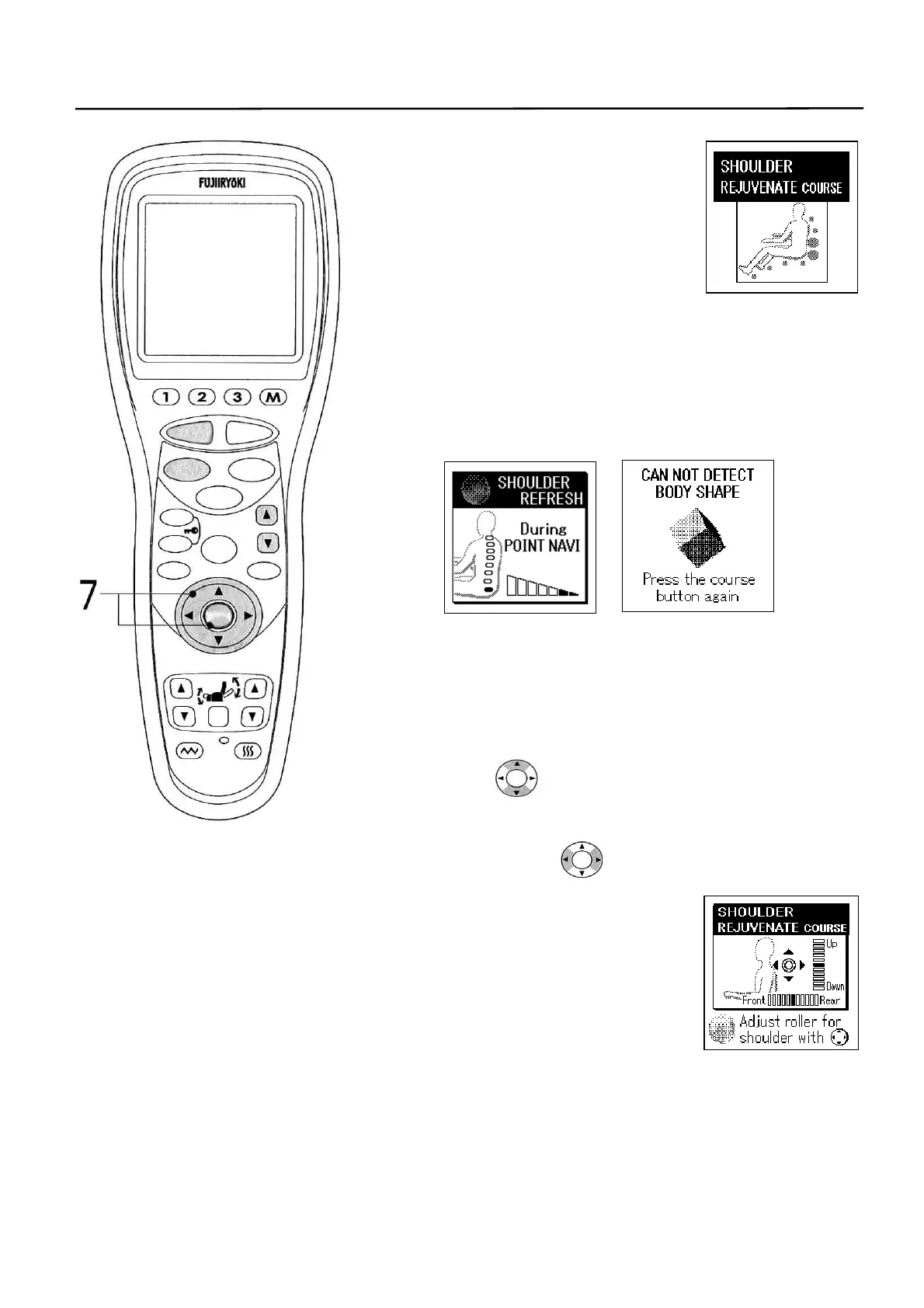
4. Name of selected course is
displayed and both the auto
course and the body shape
detection start simultaneously.
• When the “7MIN” course has been
selected, there is no body shape
detection.
5. On the way of body shape detection, each detection
point lamp lights up and the detection indicator
indicates the detection level.
■ When nobody is sitting on the chair or it has failed to detect
the body shape, a message “CAN NOT DETECT BODY
SHAPE” is displayed. In this case, press the [AUTO]
button once more and retry the body shape detection.
6. As the body shape detection is completed, the knead
balls move to the specified shoulder position.
7. When the specified shoulder position does not fit to
your body, it can be adjusted finely to a desired
shoulder position.
While intermittent electronic buzzer sounds are heard,
press the switch to readjust the shoulder
position and press finally the [ENTER] button.
• Front and rear positions of knead balls can also be adjusted
at this time using the switch. The massage is applied
at the positions adjusted during the movements of “NECK
FLEX”, “EXTREME KNEAD”
and “EXTREME TAPPING” in the
AUTO COURSE.
(This is effective only with the
“REJUVENATE” course for the
“WHOLE BODY” and
“SHOULDER”.)
• Shoulder position may also be adjusted finely using the
HEIGHT ADJUSTMENT [S] and [T] buttons.
• When the body shape was detected with the
[START/RESET] button, the body shape is remembered till
the massage is completed. When changing the body shape
in memory, press the [START/RESET] button to complete
the process and then start again.
STOP
STAR
RESE
AUTO
FUNCTION
AIR
REPEAT
SKIP
SHDR
MENU
ARM
ENTER
FOOTREST RECLINER
RESET
VIBRATION HEATER
HEIGH
ADJUSTMEN



 To Next Page