Use of the AUTO COURSE
14
Introduction
• In the initial state after turning on the power
supply, the screens shown at right are
displayed alternately on the LCD display.
• When changing from an AUTO COURSE to
the another AUTO COURSE or from any
massage other than the AUTO COURSE to an
AUTO COURSE (See P47.)
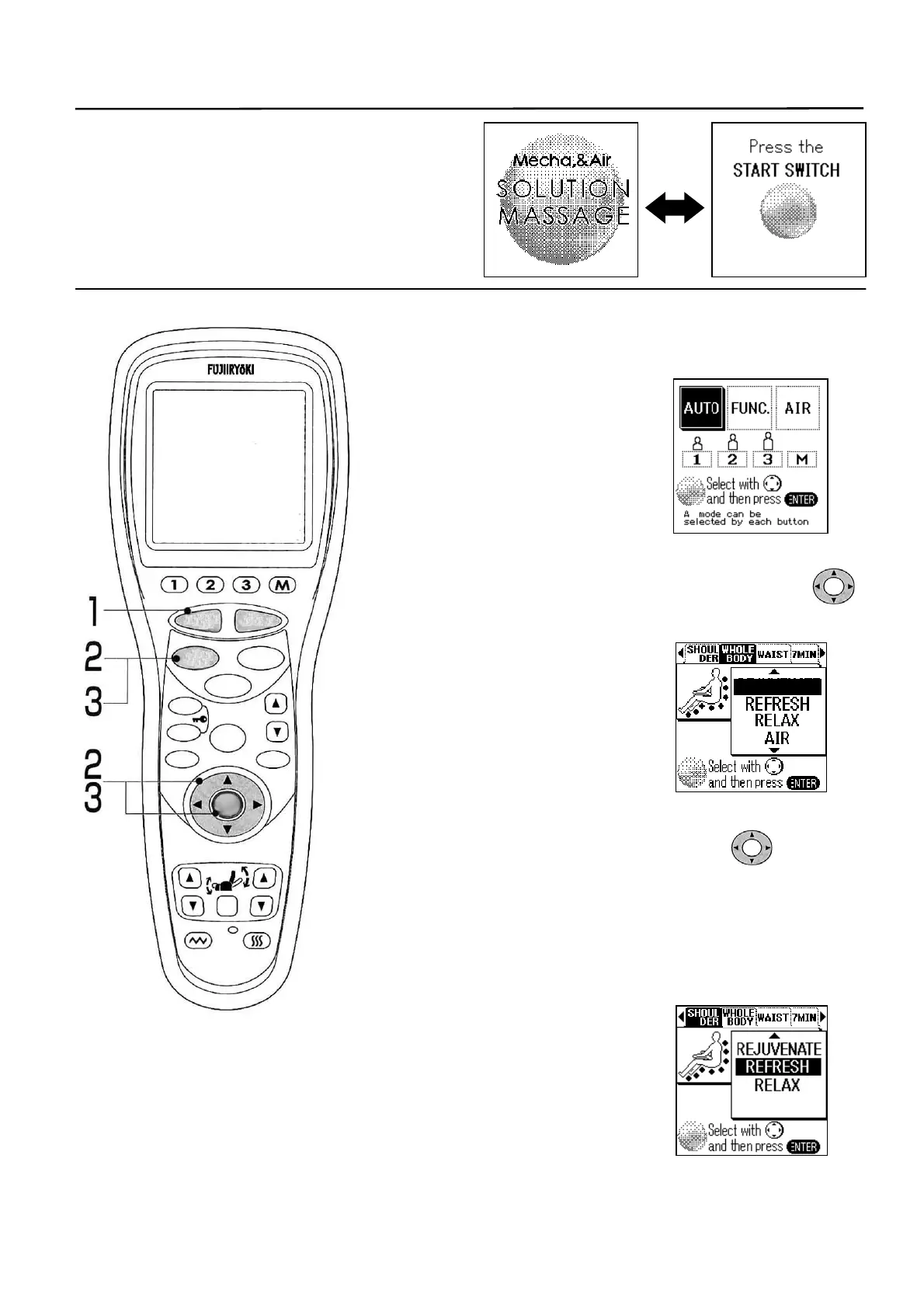
1. Press the [START/RESET] button.
• Foot rest rises automatically to the standby position. (To
stop on the way, press [STOP] button.
• Standby screen is displayed.
• Sit deep in the chair and rest
comfortably against the back rest
with the head touching it lightly.
2. Press the [AUTO] button. Or, select AUTO with [??]
switch and then press the [ENTER] button.
• List of AUTO COURSEs is
displayed.
■ Movement will start 5 seconds
later even if the [ENTER] button is
not pressed.
(The same applies hereafter as
well.)
3. Select a desired course using the switch
or the [AUTO] button and then press the [ENTER]
button.
• Select one out of four courses of “WHOLE BODY”,
“SHOULDER”, “WAIST” and “7MIN”.
• “WHOLE BODY” has four sub-courses, and “SHOULDER”
and “WAIST” have three sub-courses each.
REJUVENATE
▼
STOP
STAR
RESE
AUTO
FUNCTION
AIR
REPEAT
SKIP
SHDR
MENU
ARM
ENTER
FOOTREST RECLINER
RESET
VIBRATION HEATER
HEIGH
ADJUSTMEN



 To Next Page