Registration in the memory
27
Regarding the memory.
• You can enjoy your original courses by changing the contents of preprogrammed AUTO
COURSEs and registering such in the memory.
What can be registered in the memory
• Body shape information (PINT NAVI, shoulder position) • Selected AUTO COURSE
• ON/OFF of vibrator and heater • Places of selections for SKIP/REPEAT
• Air option (ON/OFF of PULSE, COMBO FOOT REST, FOOT STRETCH, ARM, SHOULDER and LEG)
(Caution)
* Intensity of mechanical (knead balls) massage and air intensity are not registered. Adjust them at each occasion.
* Vibrator, heater and air options are registered in the memory as the state at the end of course.
Introduction
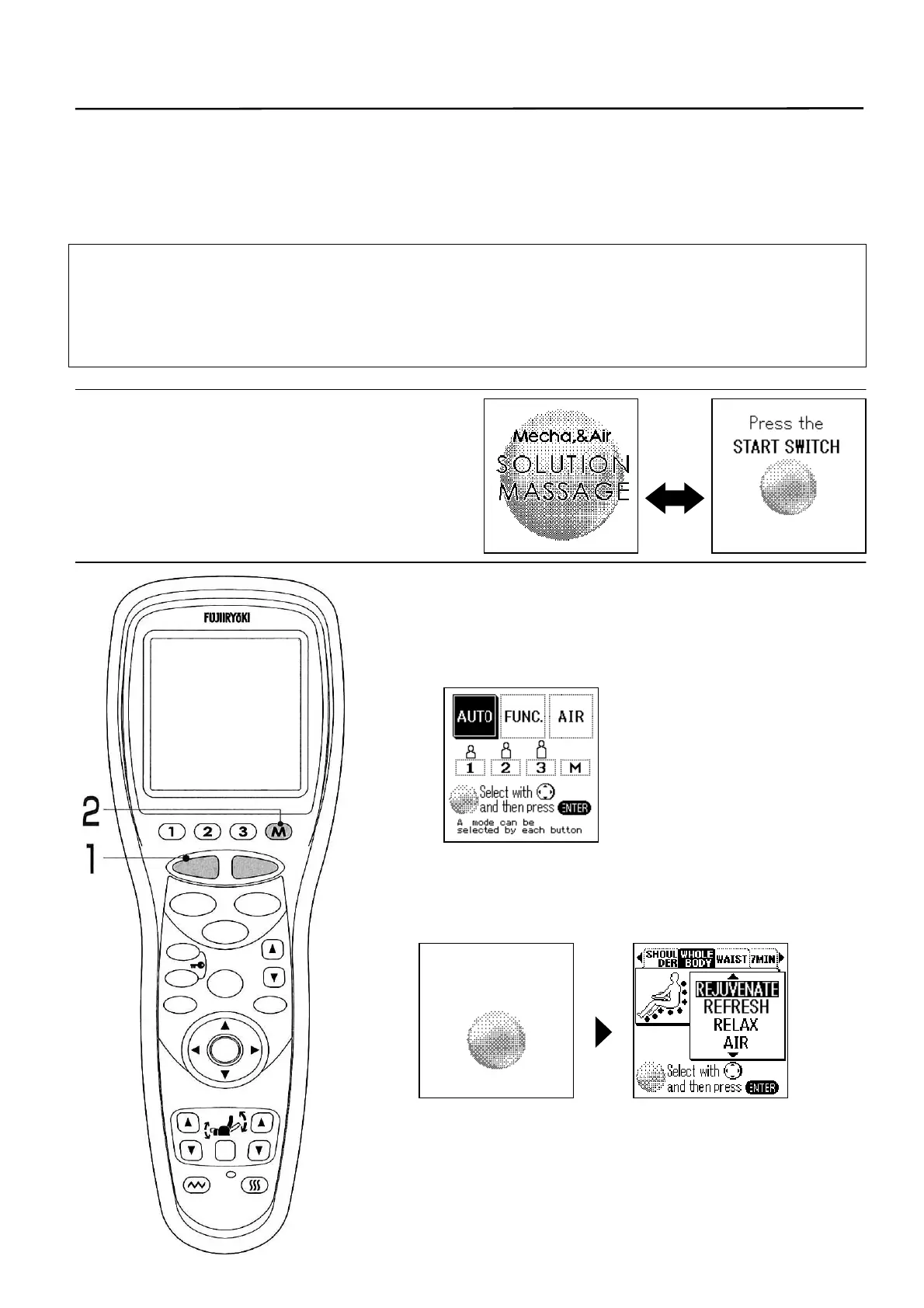
• After turning the power on, the screens
shown at right are displayed alternately
on the LCD display in the initial state.
1. Press the [START/RESET] button.
• Foot rest goes up automatically to the standby position.
(To stop on the way, press the [STOP] button.
• Standby screen is displayed.
2. Hold down the [M] button for 2 seconds.
• Guidance of memory registration and AUTO COURSE list
are displayed.
Auto course will
be registered
STOP
STAR
RESE
AUTO
FUNCTION
AIR
REPEAT
SKIP
SHDR
MENU
ARM
ENTER
FOOTREST RECLINER
RESET
VIBRATION HEATER
HEIGH
ADJUSTMEN



 To Next Page