Registration in the memory
28
3. Select a desired AUTO COURSE to enjoy the
massaging according to your preference.
• Some examples of use are shown below.
These describe points only of each feature for a quick
overview.
Select desirable massages by referring to the sections: Use
of the AUTO COURSE (P14 - P18) and Adjustment during
massaging with AUTO COURSE or in QUICK MODE
(P22 - P26).
Example of use
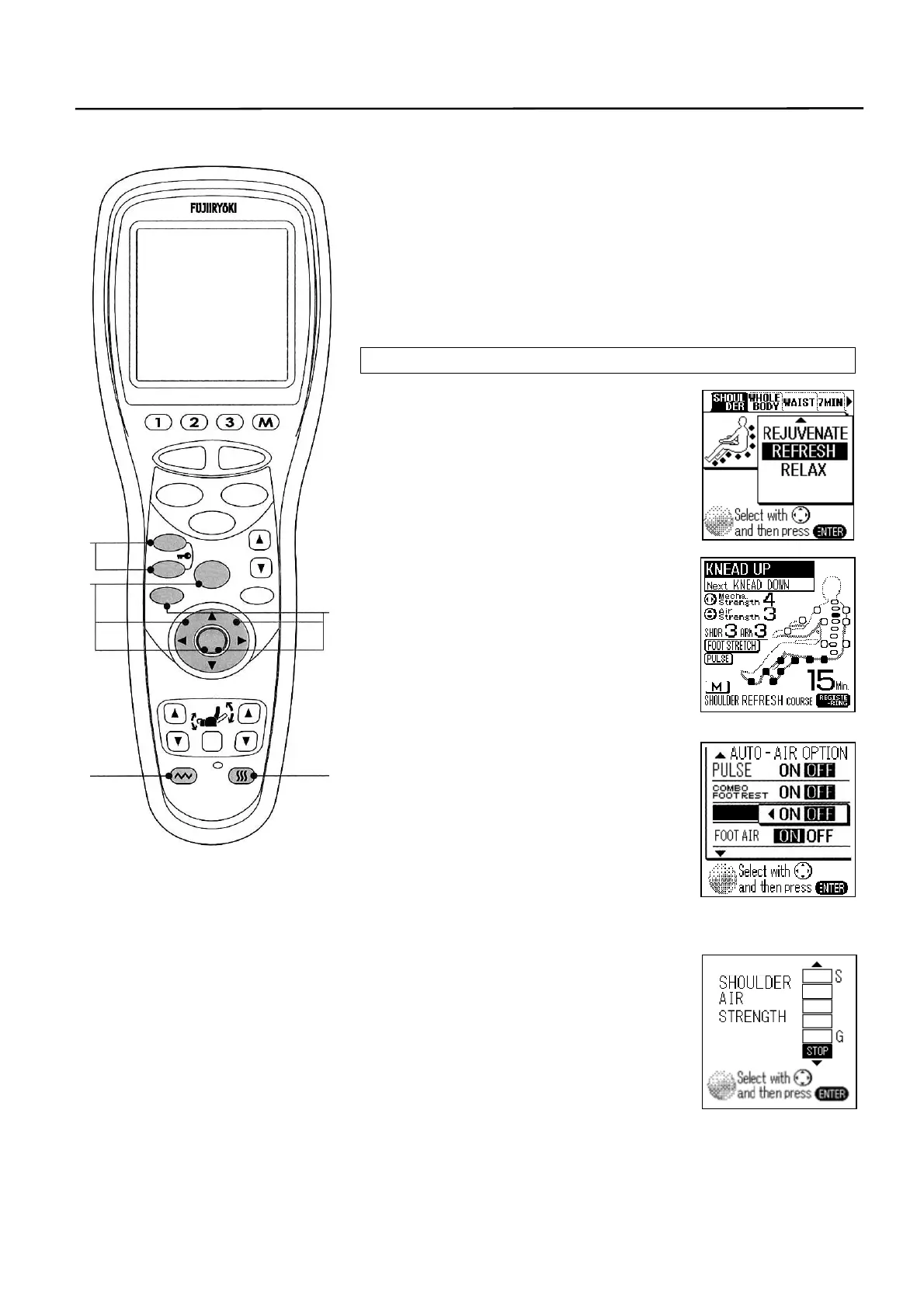
① To select the “REFRESH” course of the
“SHOULDER”
② As the POINT NAVI is completed,
“REGISTERING” is displayed on the
LCD screen.
③ Adjust the massage.
• PULSE “ON” → “OFF”
• FOOT STRETCH “ON” → “OFF”
This shows the memory
registration is going on.
• SHOULDER massage strength
“3” → “STOP”
• VIBRATION “OFF” → “ON”
④ Select the HEATER.
• HEATER “OFF” → “ON”
⑤ “3D Tapping” programmed at 5 minutes after the start of
massage is skipped. “Wavelet” programmed at 9 minutes after
the start is repeated.
FOOT
STRETCH
③
④ ③
③
⑤
STOP
STAR
RESE
AUTO
FUNCTION
AIR
REPEAT
SKIP
SHDR
MENU
ARM
ENTER
FOOTREST RECLINER
RESET
VIBRATION HEATER
HEIGH
ADJUSTMEN
▼



 To Next Page