33
Handset Interface
arrows U
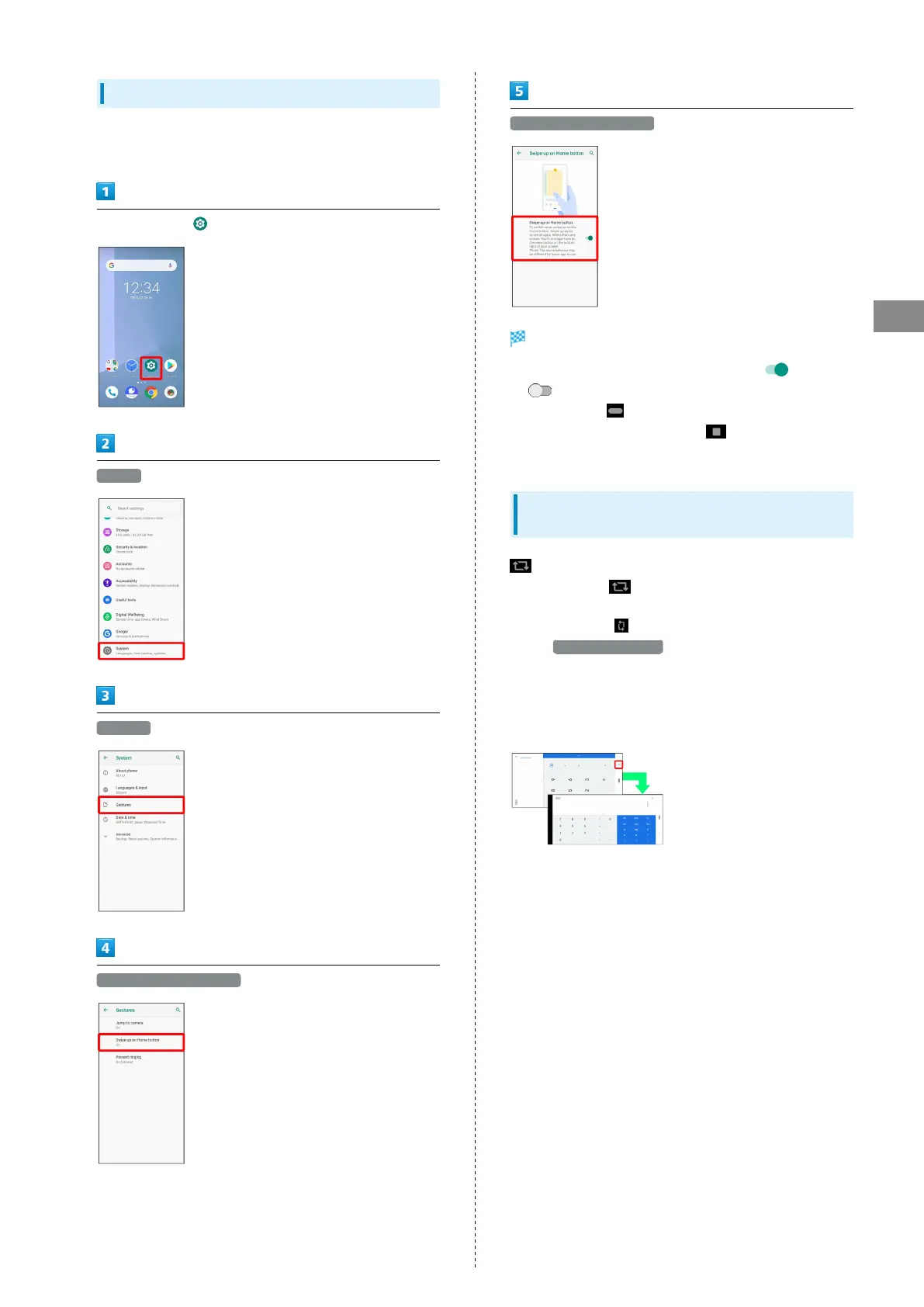
Switching Navigation Bar Activation
Switch Navigation Bar activation and how to list recently used
applications.
In Home Screen, (Settings)
System
Gestures
Swipe up on Home button
Swipe up on Home button
Navigation Bar activation switches.
・
Tap Swipe up on Home button to toggle on ( )/off
( ).
・
When on, Flick for Navigation Bar up to list recently
used applications. When off, Tap to list recently used
applications.
Portrait Orientation & Landscape
Orientation
appears in Navigation Bar when handset is rotated
horizontally. Tap to change screen to landscape
orientation. To change to portrait orientation, rotate handset
vertically and Tap .
Enable Auto-rotate screen to change screen to landscape
orientation automatically when handset is rotated
horizontally.
・Depending on the current screen, the orientation may not
change even by changing handset orientation.



 To Next Page