59
Camera
arrows U
Capturing Videos
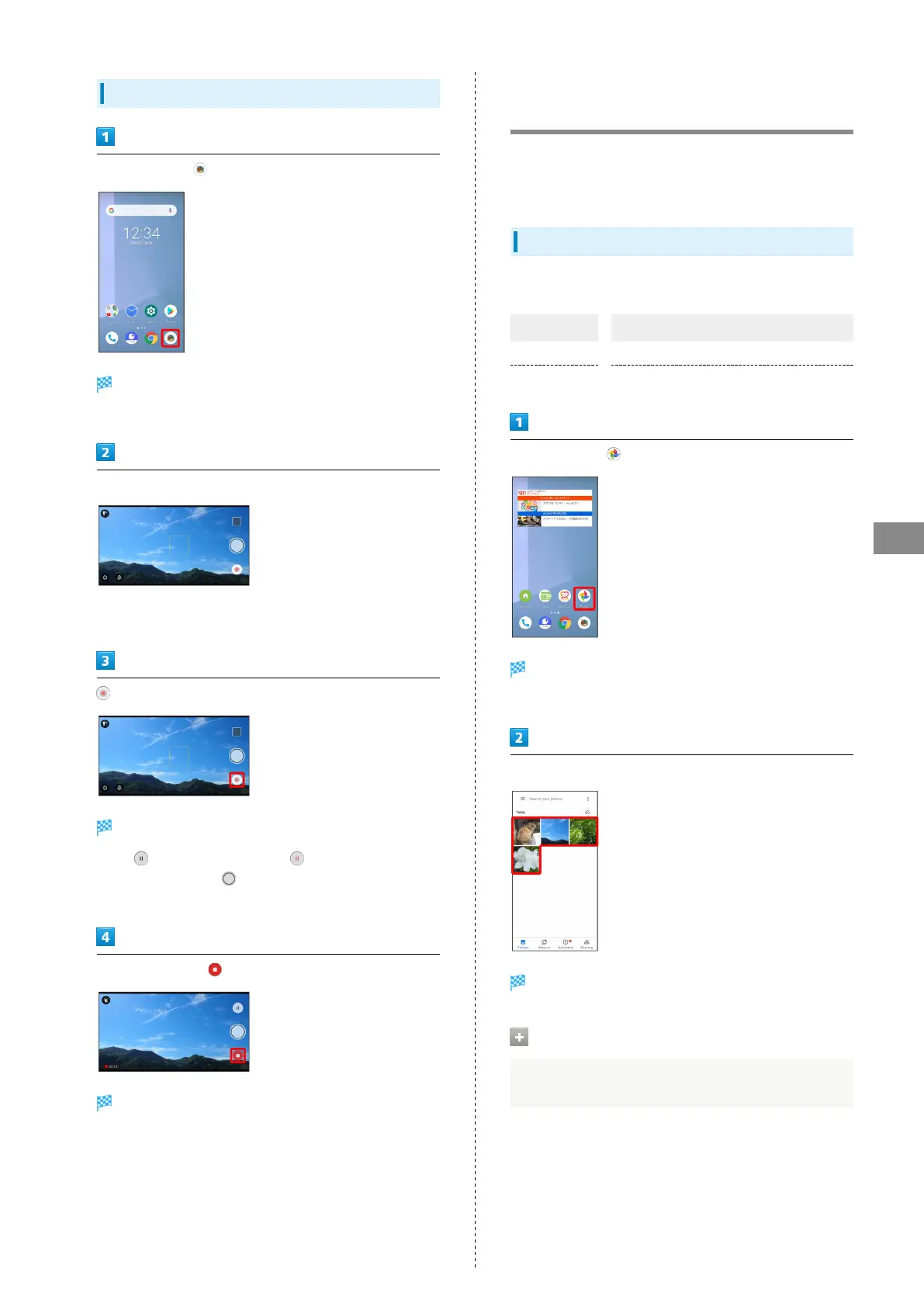
In Home Screen,
Still Image/Video Viewfinder appears.
・If confirmation appears, follow onscreen instructions.
Aim handset Camera at subject
・Pinch/Spread to zoom out/in.
・Tap subject for focus lock.
Video recording starts.
・
Tap to pause recording. Tap to resume recording.
・
During capture, Tap or Press Volume Down Key to
capture a still image.
To stop recording,
Tone sounds and video is saved.
Viewing Captured Still Images/
Videos (Photos)
View still images/videos saved to internal storage, SD Card,
and Google online storage. Viewing while logged in to your
Google account is explained here.
Showing Still Images/Videos
Show captured or downloaded still images and videos.
Type File Format
Still image JPEG
Video MP4
In Home Screen, (Photos)
Still image/video list opens.
・If confirmation appears, follow onscreen instructions.
Tap still image/video
Still image/video opens (still image/video window).
Zooming In/Out on Still Images
In still image window, Tap Display twice or Pinch/Spread



 To Next Page