51
Messaging
arrows U
Using Gmail
Gmail is Google's webmail service. Use this service to exchange
email.
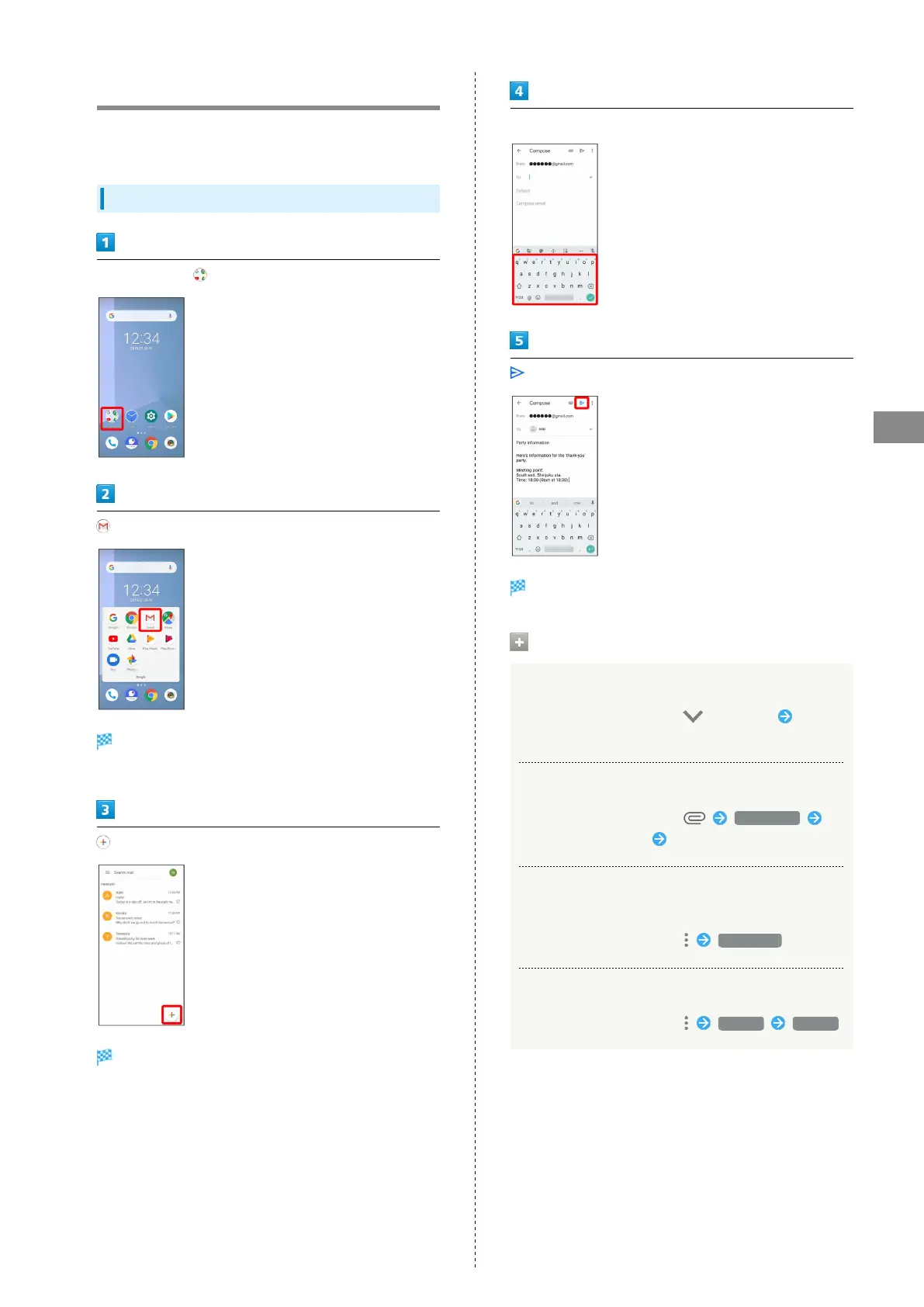
Creating/Sending Mail
In Home Screen, (Google)
(Gmail)
Mail list opens.
・If confirmation appears, follow onscreen instructions.
Mail composition window opens.
Enter recipient/subject/mail text
Mail is sent.
Operations when Composing Mail
Adding Cc/Bcc
In mail composition window, in To field Enter
recipient
Attaching Files
In mail composition window, Attach file
Tap where file is saved Tap file to attach
Save Mail Being Composed as a Draft (Send
Later)
In mail composition window, Save draft
Delete Mail Being Composed
In mail composition window, Discard Discard



 To Next Page