35
Handset Interface
arrows U
Using Notifications Window
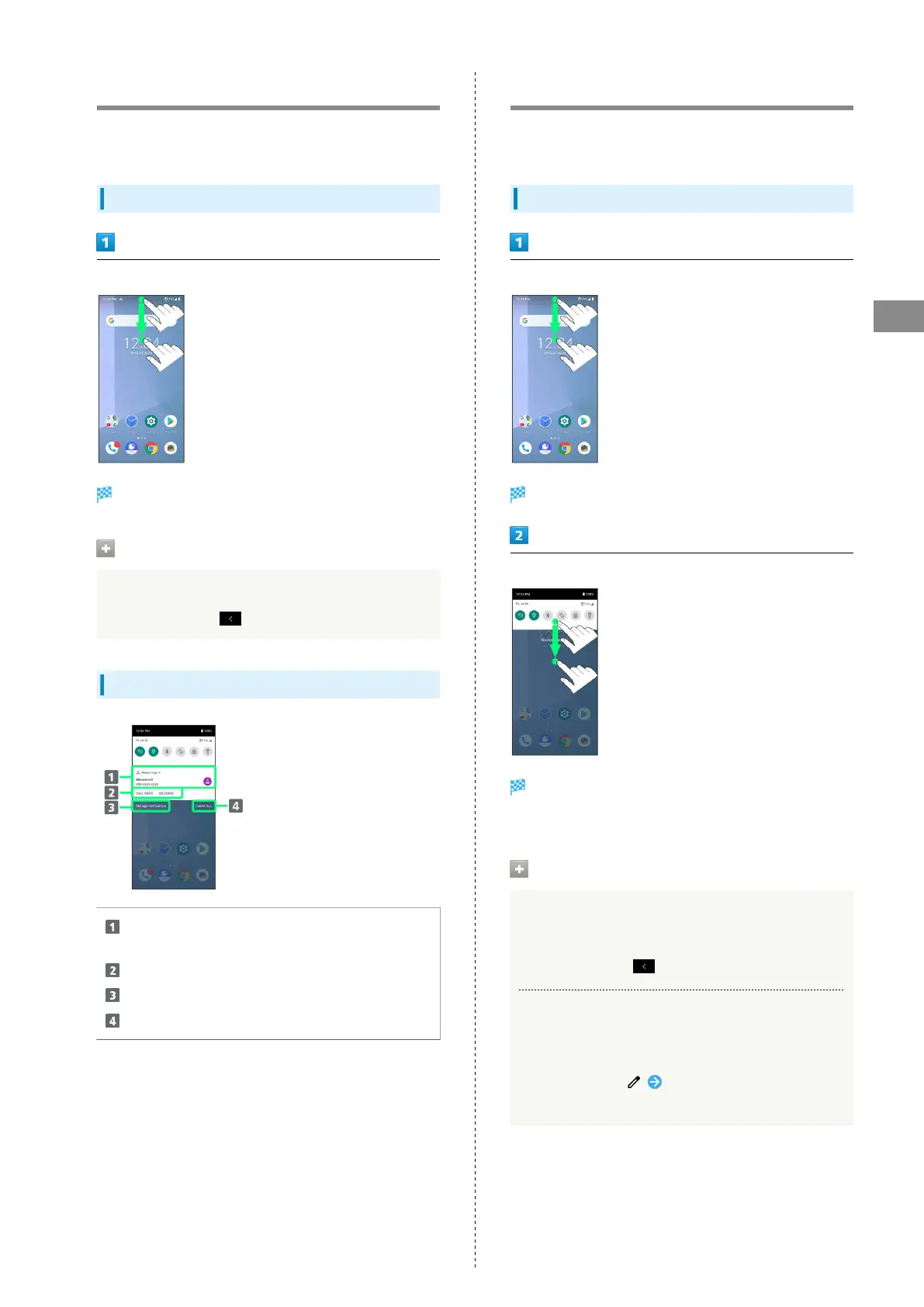
Drag Status Bar down to open Notifications Window. Open
Notification Indicators to check details.
Opening Notifications Window
Drag Status Bar down
Notifications Window opens.
Closing Notifications Window
Drag Notifications Window up
・
Alternatively, Tap .
Notifications Window Layout
Show notifications (incoming calls, etc.) and active
functions
Use corresponding functions
1
Manage notifications
Delete all notifications and close Notifications Window
1 Usable functions depend on the notification. As an
example, dial or send an SMS to the phone number of a new
call.
Using Quick Settings
Drag Notifications Window down to access Quick Settings. Tap
icons to toggle functions on/off, etc.
Opening Quick Settings
Drag Status Bar down
Notifications Window opens.
Drag Notifications Window down
Quick Settings open.
・Alternatively, Drag Status Bar down using two fingers.
Quick Settings Operations
Closing Quick Settings
Drag Notifications Quick Settings up
・
Alternatively, Tap to close Quick Settings.
Editing Quick Settings
Add, delete, and change order of functions in Quick
Settings.
In Quick Settings, Follow onscreen instructions
and Drag icon



 To Next Page