84
Global Roaming
Handset is Global roaming Service eligible. Use the same
handset number outside Japan.
Handset connects to an appropriate mobile provider
automatically by default.
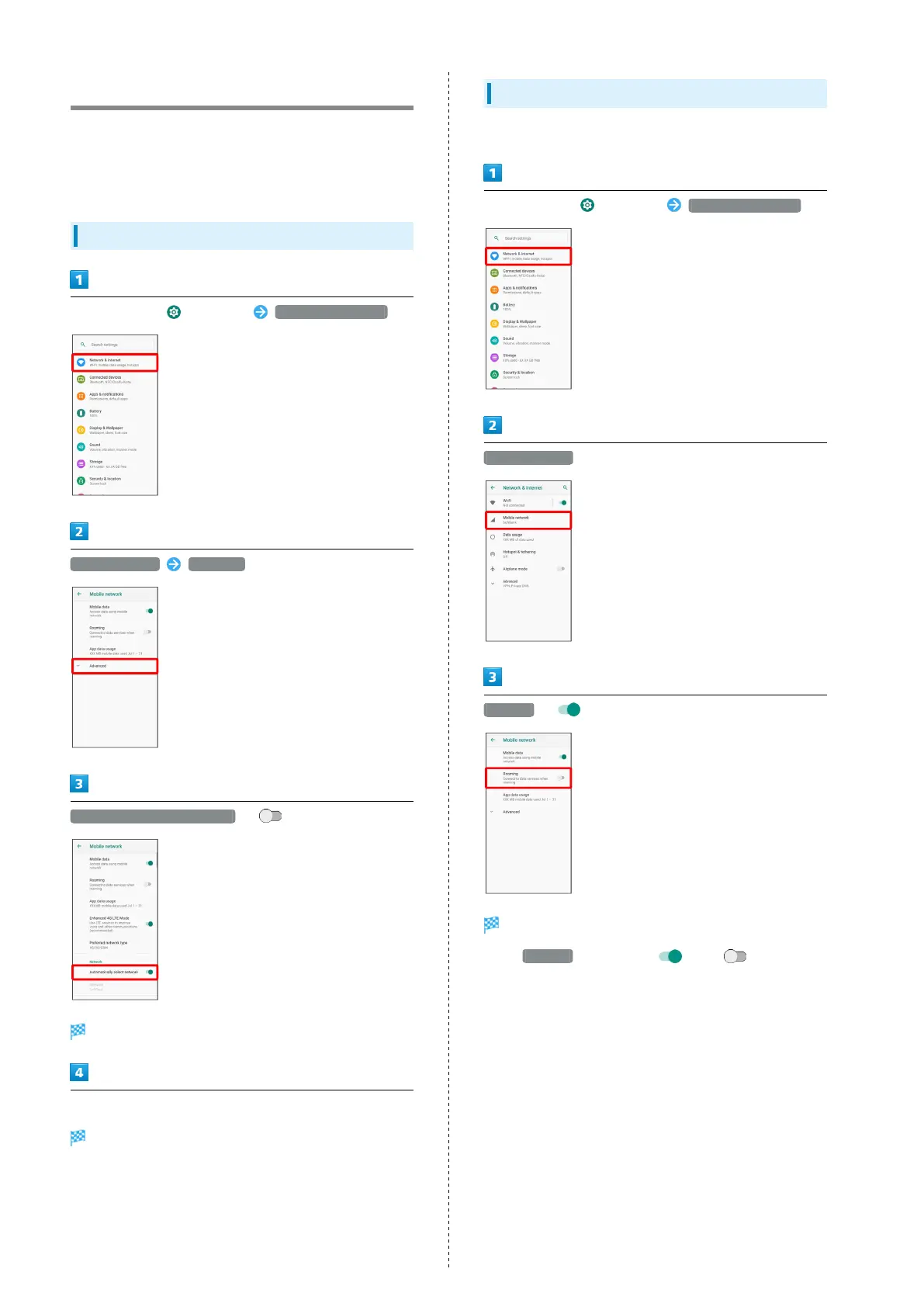
Setting a Mobile Provider
In Home Screen, (Settings) Network & internet
Mobile network Advanced
Automatically select network ( )
Handset searches for available networks.
Tap provider
Mobile provider is set.
Changing Data Roaming Setting
Change setting for data communication outside Japan.
In Home Screen, (Settings) Network & internet
Mobile network
Roaming ( )
Data roaming is disabled.
・
Tap Roaming to toggle on ( )/off ( ).
・If confirmation appears, follow onscreen instructions.



 To Next Page