54
Using Chrome
Use Chrome simply by entering words to search and URLs.
TLS
TLS (Transport Layer Security) is a protocol for encrypting
sent/received data. While in a screen connected by
TLS, data is encrypted to safely send/receive private
information, credit card numbers, corporate secrets,
etc., and provide protection against online threats
(eavesdropping, falsification, impersonation, etc.).
TLS Cautions
When opening a secured page, users must decide as their
responsibility whether or not to open the page with use
of TLS. SoftBank Corp. and the Certification Authorities
Symantec Website Security G.K. and Cybertrust make no
guarantees whatsoever to users regarding security of TLS.
Using Chrome
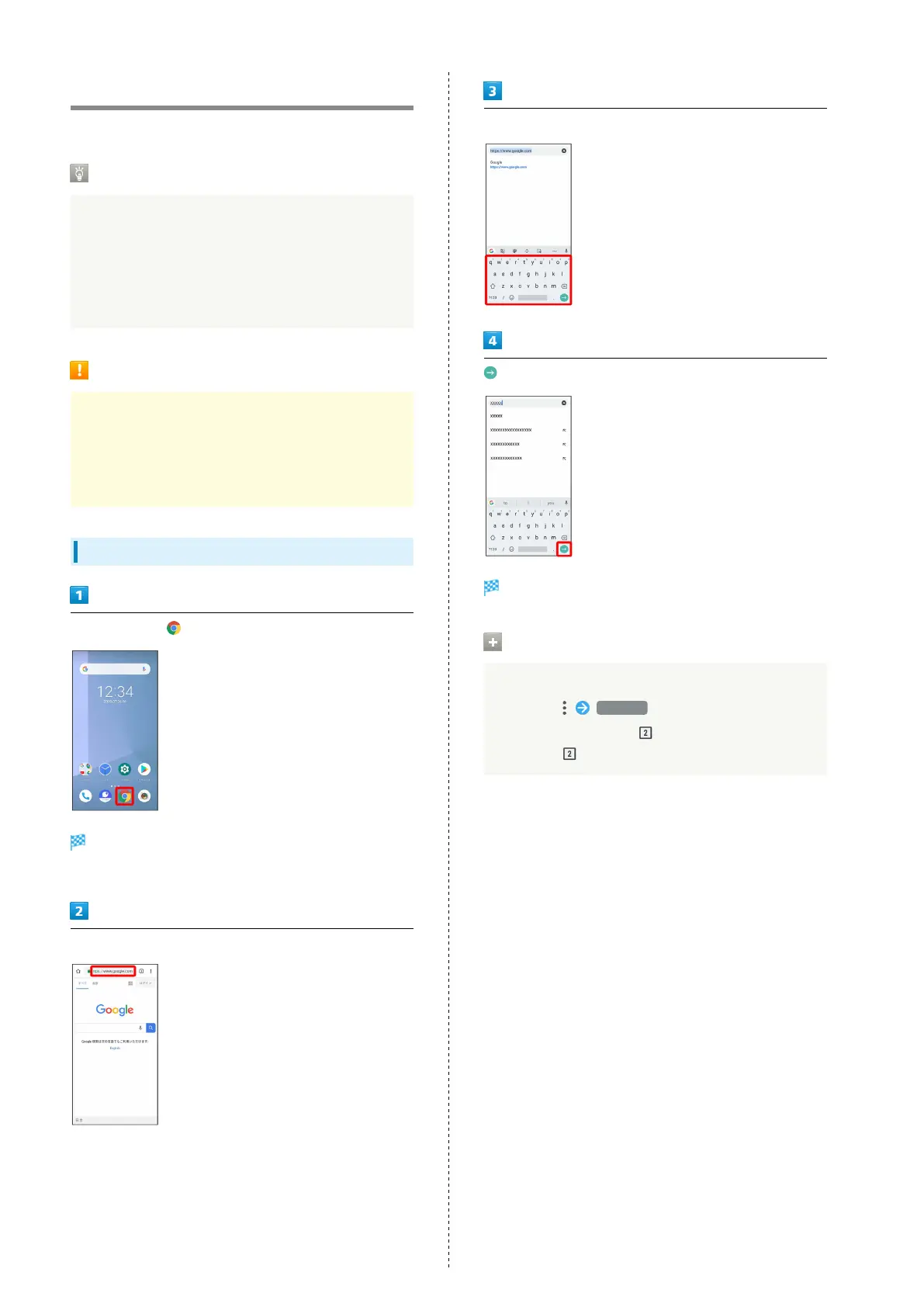
In Home Screen,
Chrome opens.
・If confirmation appears, follow onscreen instructions.
Tap entry box at top
Enter words to search and URLs
Search results appear or a Web page opens.
Opening New Windows
Open several windows to switch between Websites easily.
In Chrome, New tab
・
To switch windows, Tap and then target window.
・
Number in changes with number of windows.



 To Next Page