76
Advanced
・Show passwords
Set whether characters are visible as
password is entered.
・Device admin apps
Set whether to enable device
administration applications.
・SIM card lock
Make settings for SIM Card lock.
・Encryption & credentials
Make settings for encryption and
credentials storage.
・Trust agents
2
Set whether to show trusted agents.
・Screen pinning
Set to keep only screen of specified
application in view.
1 Does not appear if Security unlock preference is None .
2 Settable if Security unlock preference is setting other
than None or Touch/Swipe .
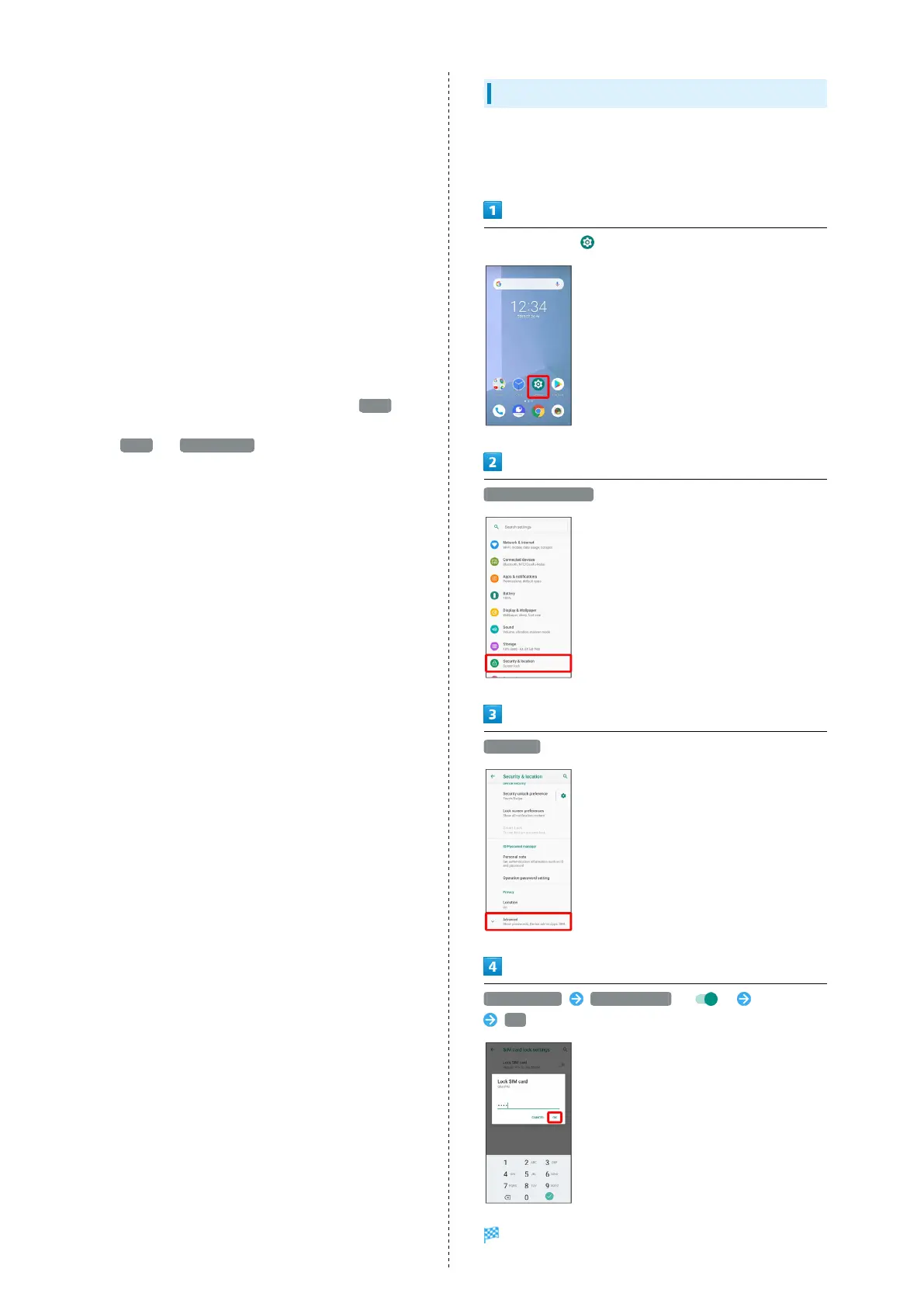
Enabling SIM PIN
When PIN is enabled, a window for entering PIN appears to
allow handset use each time handset is powered on with SIM
Card installed.
In Home Screen, (Settings)
Security & location
Advanced
SIM card lock Lock SIM card ( ) Enter PIN
OK
PIN is enabled.



 To Next Page