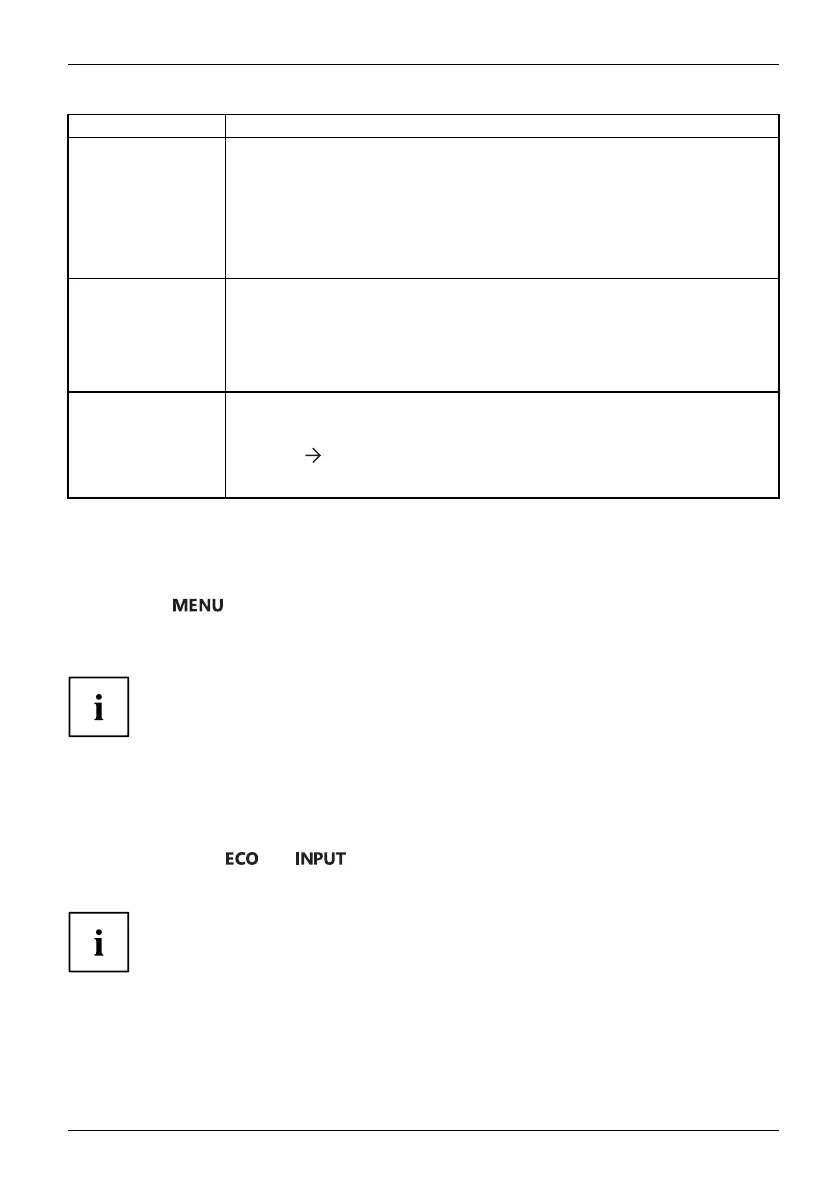
Operation
Function Description
Auto Bright ness
Enable/disable automatic control of the brightness
This function is used to automatically control the brightness of the
background lighting using th e ambient light sensor.
This setting only appears on mo dels with an a mbient light sensor and can
only be en abled in Office, Photo or Custom mode.
As soon as Auto brightness is enabled, ACR is automatically disabl ed
Lighting Guide
Enable/disable advice on
workplace lighting
With this function, advi
ce is displayed if the ambient light at the workplace
does not meet th e ergonom
ic recommendations for working a t the compute r
screen.
This setting only appea
rs on models with a light sensor.
Auto level
Adjust the signal leve
l
With this function y
ou can automatically set the contrast.
Press the
button to run the function.
This setting only appears with an ana logue video signal (e.g. VG A).
Locking the OSD menu
The O SD menu can be locked to prevent accidental or unauthorised changes to the monitor settings.
► Press the
button and the ON/OFF button at the same time and keep
them pressed for approximately 10 seconds.
The message OSD locked / unlocked is displayed.
Please proceed in the same manner to release the locked OSD menu again.
Lock the ON/OFF button
The O N/O FF button can be locked to prevent accidental or unauthorised
changes to the monitor settings.
► Press the buttons
and at the sa me time and keep them pressed for a few seconds.
The message Power button locked / unlocked is displayed.
To remove the locking of the ON/OF F button again, proceed in the same way.
Fujitsu 35











 To Next Page