Troubleshooting
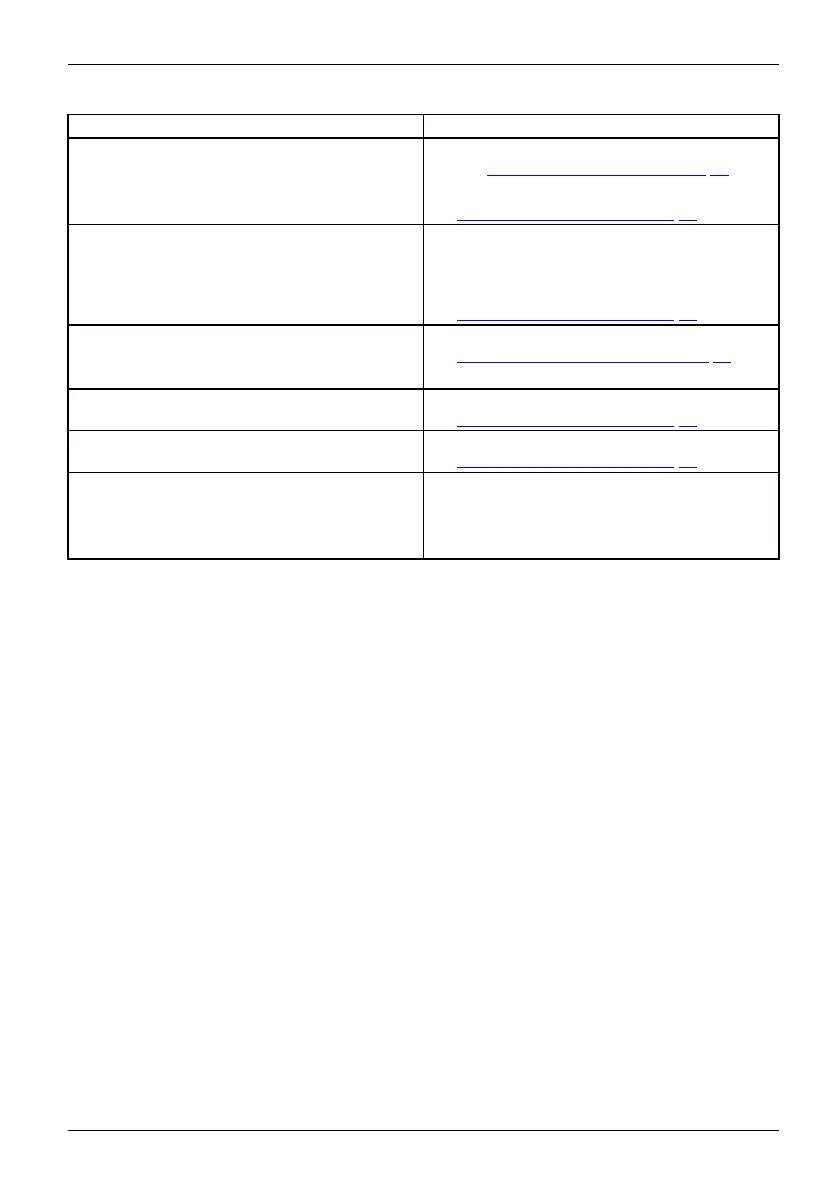
Having this p r ob lem? Check the following points:
Picture position not corre ct
The monitor recognises an undefi
ned mode (see
chapter "
Technical specificati
on", Page 44).
► Run the function Auto adjust (s
ee C hapter
"
Setting screen display", Pag
e 22).
Picture is shaking
► Check whether the data cable for the
monitor is correctly screwed into the monitor
port on the computer.
► Run the function Auto adjust (see Chapter
"
Setting screen display", Page 22).
Picture is wrongly adjusted
► Run the function Factory Recall (see Chap ter
"
Advanced setting fun ctions", Page 26).
The Auto Processing message appea rs.
Picture disturbances
(vertical lines)
► Run the function Auto a
djust (see Chapter
"
Setting screen dis
play", Page 22).
Picture disturbances (horizontal lines, picture
noise)
► Run the function Auto adjust (see Chapter
"
Setting screen display", Page 22).
The screen becomes darker
The background lighting has a limited lifetime.
If your monitor display should become too dark,
the background lighting will have to be replaced.
► Contact our Service Desk.
Fujitsu 43











 To Next Page