Mainboard D3598 English - 27
Installing the processor and heat sink
Installing the processor
!
The processor socket is covered with a protective cap to protect the spring contacts
In a warranty case the mainboard can only be taken back by Fujitsu Technology Solutions
with the protective cap secured!
Never touch the underside of the processor. Even minor soiling such as grease from the
skin can impair the processor's operation or destroy the processor.
Place the processor in the socket with extreme care, as the spring contacts of the socket
are very delicate and must not be bent.
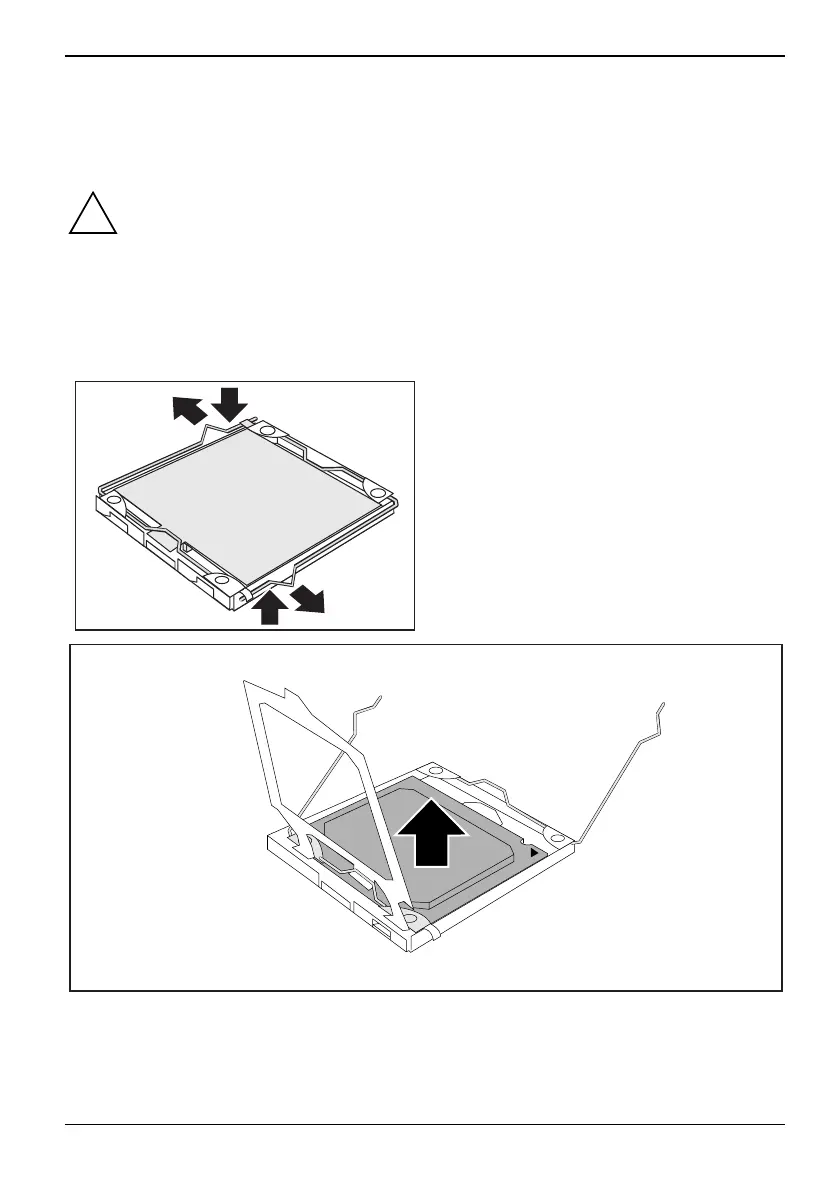
► Remove the heat sink.
1
1
2
2
► Press down the levers (1) and unhook them
(2).
► Fold up the frame.
3
3
► Remove the old processor (3) from the socket.
Fujitsu 61


 To Next Page