Getting started
Removing the baseplate
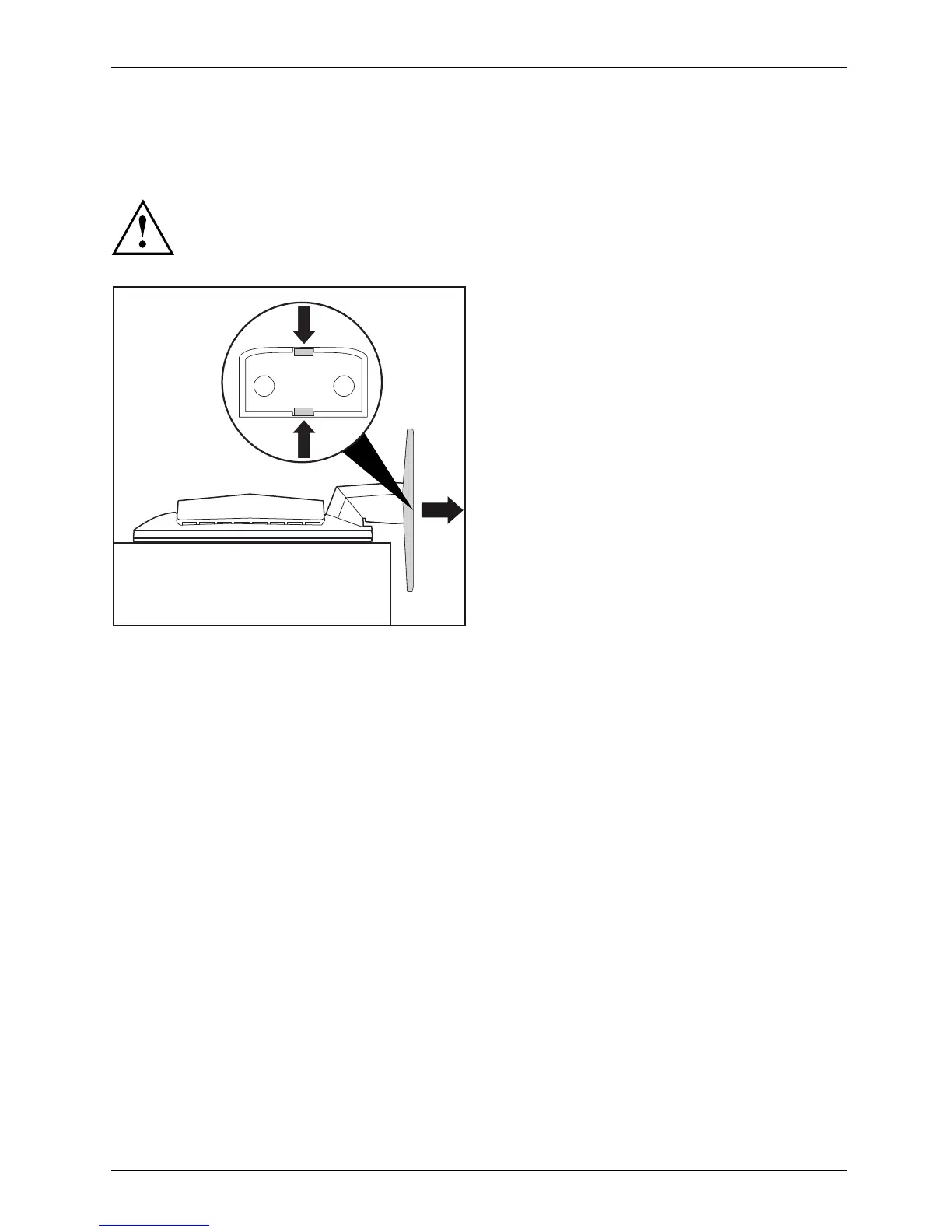
To transport the device in the original packaging, you must first remove the baseplate.
Be careful not to scratch the surface of the screen!
2
1
1
► Switch off the monitor an d unplug
the mains plug.
► Lay the monitor with the front side
downwards on a soft surface.
► Remove all cables.
► To unlock the baseplate, press and hold
the locks (1) and lift the baseplate upwards
in the direction of the arrow (2).
Fujitsu 15











 To Next Page