Operation
Changing the monitor settings
When putting the monitor into operation for the first time, the scree n d isplay should
be optimally adapt ed to the display adapter used.
Changing the monitor setti
ngs with the bu ttons
of the co n trol panel
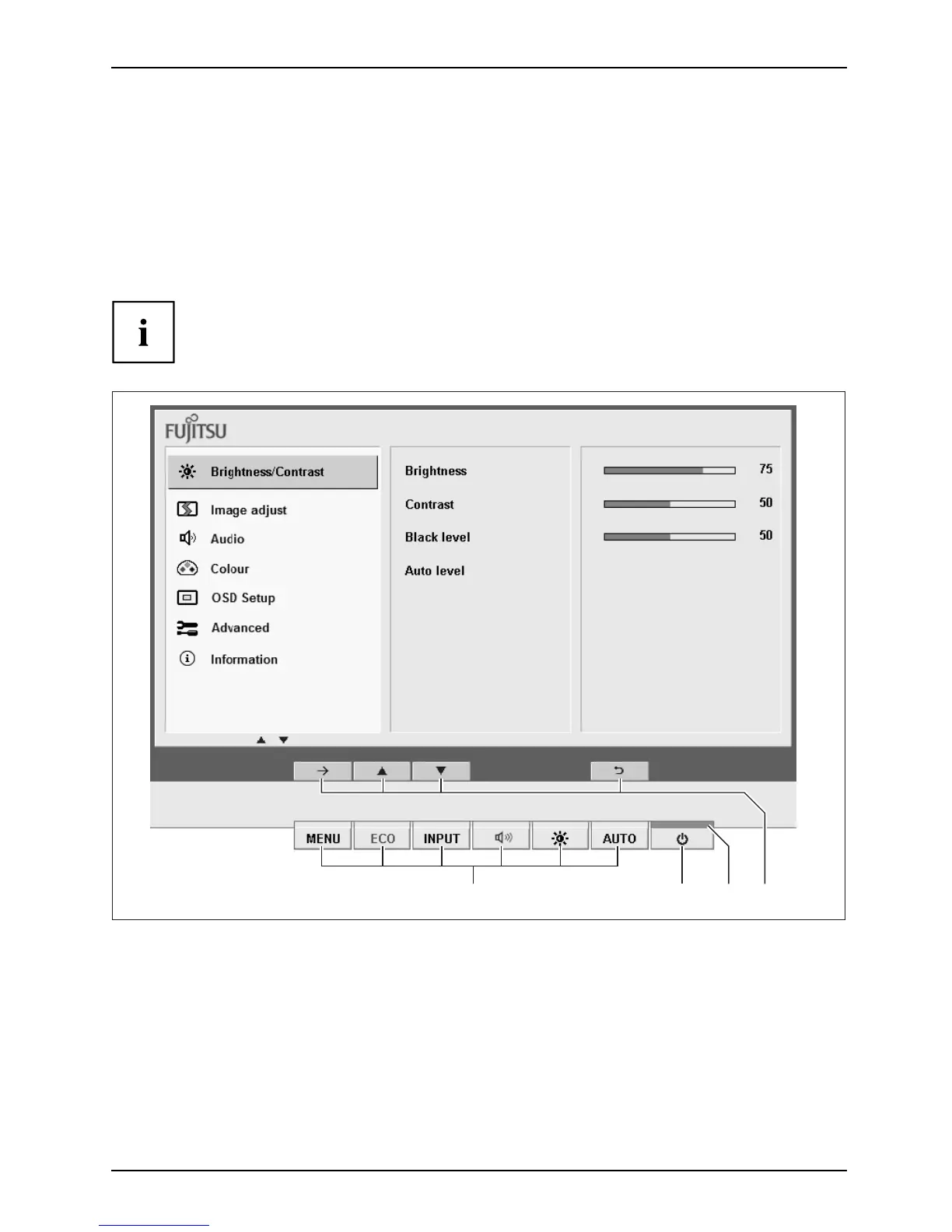
The buttons of the control panel have two functions. If the OSD menu is
activated, a description of the current function of the buttons is disp layed
directly abo ve the buttons at the edge of the screen. If the OSD menu is not
activated, you can make the following settings directly:
1234
1 = Buttons for the OSD menu (On
Screen Display)
2 = ON/OFF switch
3 = Power supply indicator
4 = Softkeys
Fujitsu 21












 To Next Page