fi-5015C Image Scanner Operator’s Guide AP-3
B
APPENDIX B
Using [Scan] or [Send to] button
■ Settings on the Personal Computer
By setting the link of the application software to the [Scan] or [Send to] button, you can launch the
linked application by simply pushing the button.
1. Select [Start]-[Control Panel].
2. Select [Scanners and Cameras]-[Properties].
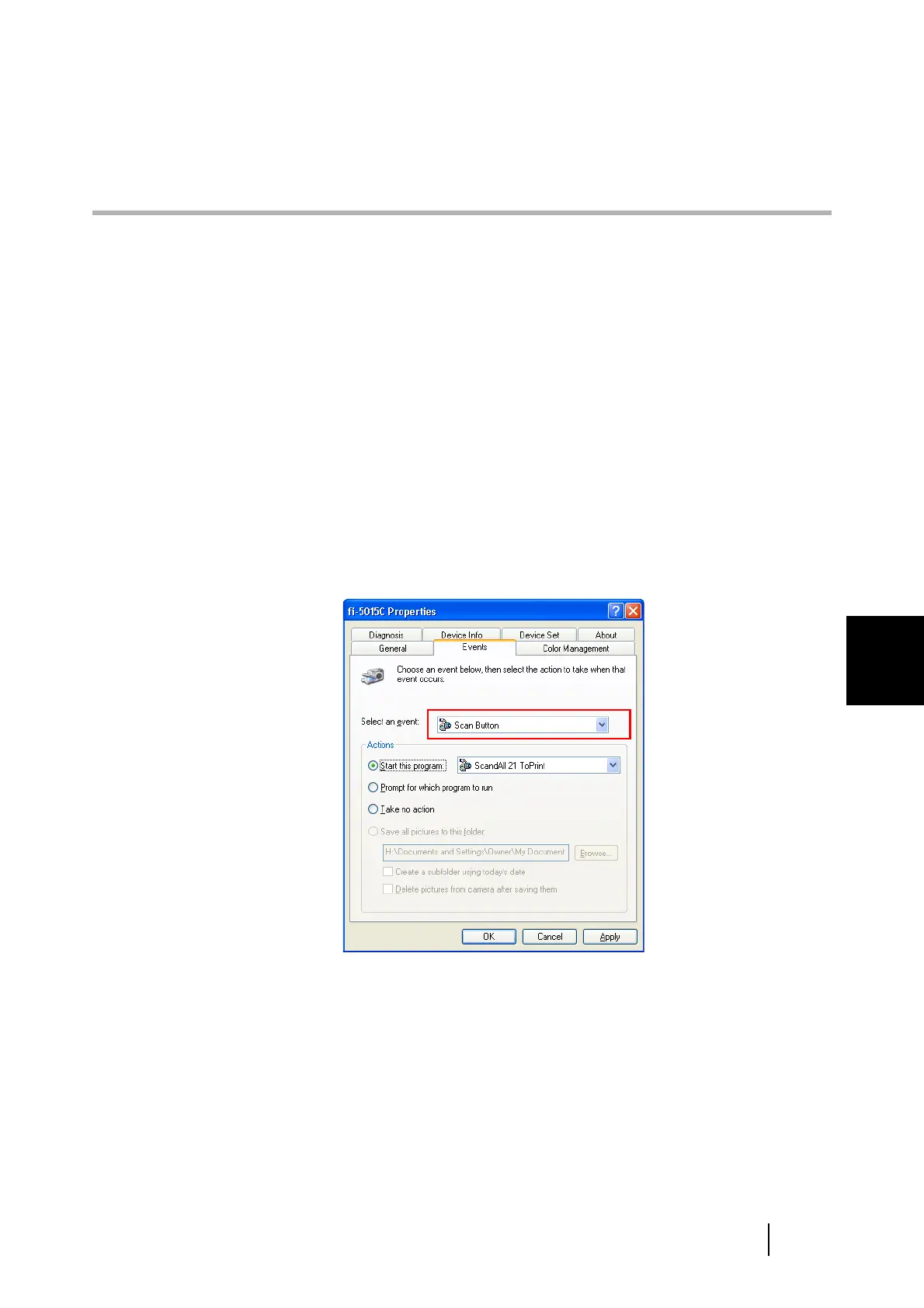
3. Select the [Events] tab.
4. Select an Event. For the case of Windows XP, select an event for starting up any
application from the [Select an event] menu.
The events available for this function are:
- Scan Button (When pressing the [Scan] button)
- Send to 1- 9 (When pressing the [Send to] button)












 To Next Page