CONTENTS
Introduction
1 NAMES AND FUNCTIONS OF PARTS
2 BASIC SCANNER OPERATION
3 SCANNING VARIOUS TYPES OF DOCUMENTS
4 DAILY CARE
5 REPLACING CONSUMABLES
6 TROUBLESHOOTING
7 ONLINE SETUP
7.1 Online setup
7.2 Double-feed detection
7.3 Setting of Page Edge Filler
7.4 Setting dropout color
7.5 Setting of pre-pick mode
7.6 Resetting the consumables counters
7.7 Adjusting the offset
7.8 Adjust the magnification
7.9 Power saving
8 DOCUMENT SPECIFICATION OF ADF
9 OPTIONS
10 SCANNER SPECIFICATIONS
Appendix
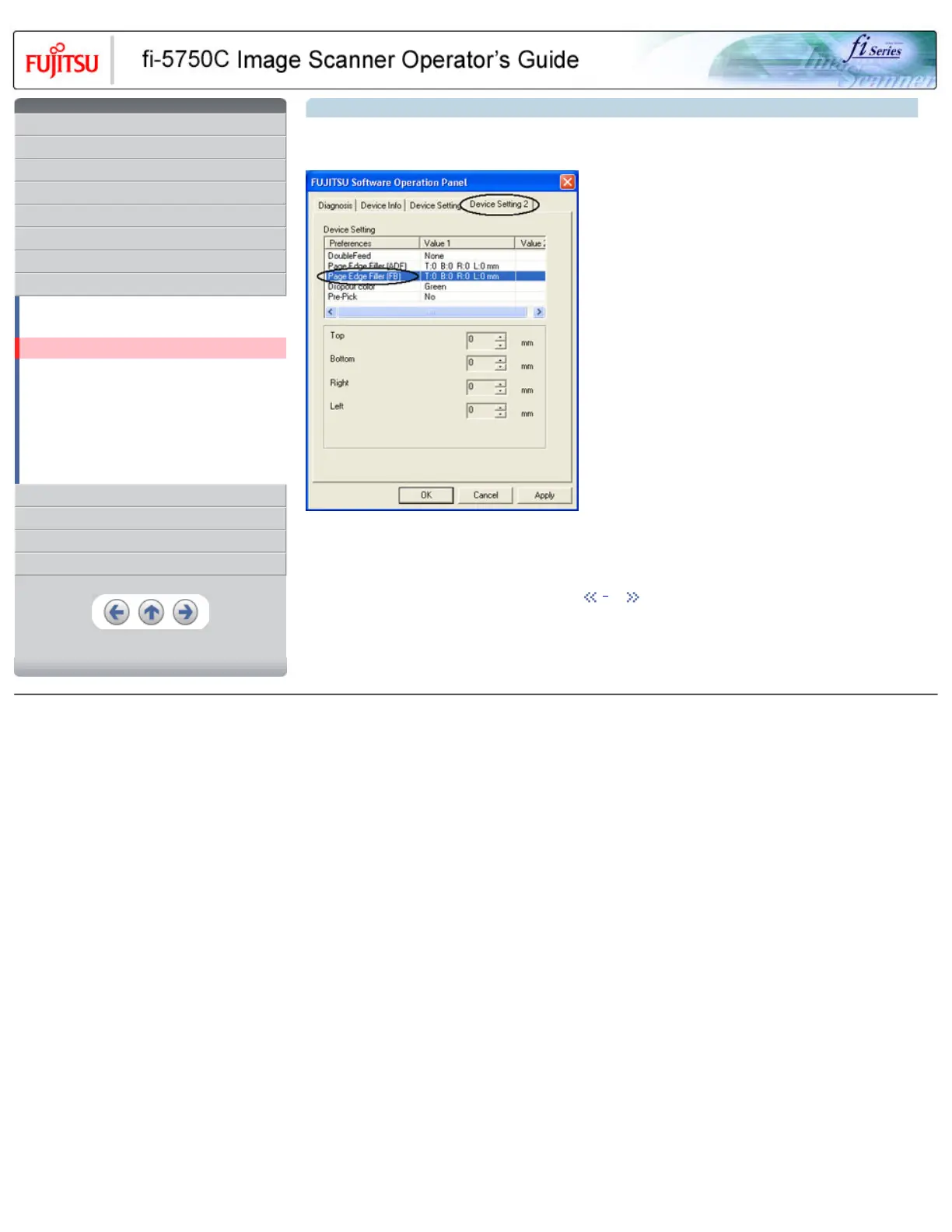
7.3 Setting of Page Edge Filler (Continued from the previous page)
2. When you scan documents with the Flatbed, click [Device Setting 2] tab, and select [PageEdgeFille(FB)] from [Preferences]. Then
specify the area to delete by entering value in [Top], [Bottom], [Right] and [Left].
HINT
If you configure the Page Edge Filter in both [Software Operation Panel] and [FUJITSU TWAIN32 Scanner Driver], the images of [Software
Operation Panel] configuration will overwrite the images of FUJITSU TWAIN32 Scanner Driver configuration.
1 | 2
All Rights Reserved, Copyright (C) PFU LIMITED 2003










 To Next Page