CONTENTS
Introduction
1 NAMES AND FUNCTIONS OF PARTS
2 BASIC SCANNER OPERATION
3 SCANNING VARIOUS TYPES OF DOCUMENTS
4 DAILY CARE
5 REPLACING CONSUMABLES
6 TROUBLESHOOTING
7 ONLINE SETUP
7.1 Online setup
7.2 Double-feed detection
7.3 Setting of Page Edge Filler
7.4 Setting dropout color
7.5 Setting of pre-pick mode
7.6 Resetting the consumables counters
7.7 Adjusting the offset
7.8 Adjust the magnification
7.9 Power saving
8 DOCUMENT SPECIFICATION OF ADF
9 OPTIONS
10 SCANNER SPECIFICATIONS
Appendix
7.5 Setting of pre-pick mode
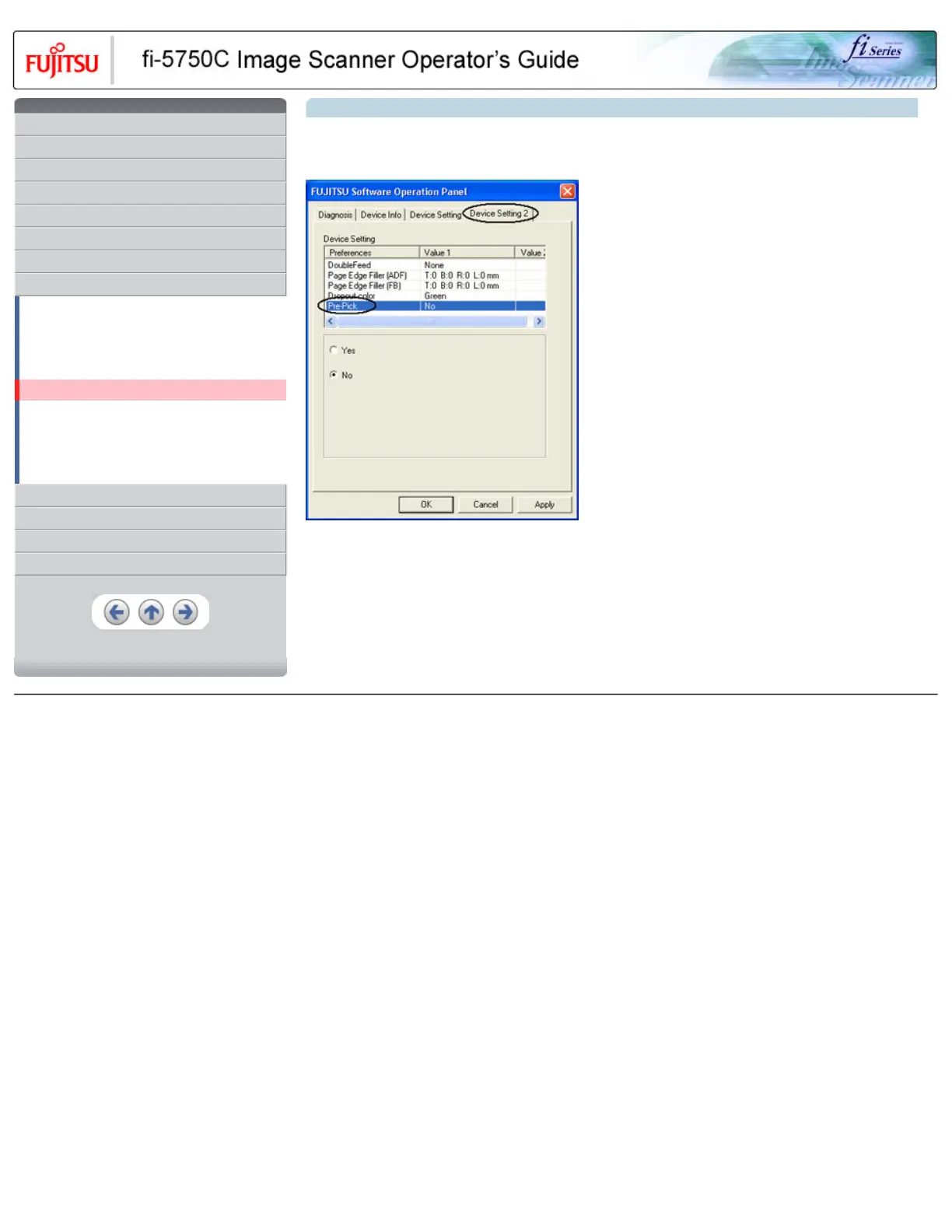
The settings of the pre-pick mode are as follows.
1. Click [Device Setting 2] tab, and select [Pre-Pick] from [Preferences].
● Yes : The setting prioritizes for the processing speed. The next document will be fed to the pick roller automatically.
● No : The next document won't be fed to the pick roller automatically.
HINT
It will take precedence FUJITSU TWAIN32 Scanner driver configuration.
All Rights Reserved, Copyright (C) PFU LIMITED 2003



 To Next Page
 Loading...







