CONTENTS
Introduction
1 NAMES AND FUNCTIONS OF PARTS
2 BASIC SCANNER OPERATION
3 SCANNING VARIOUS TYPES OF DOCUMENTS
4 DAILY CARE
5 REPLACING CONSUMABLES
6 TROUBLESHOOTING
7 ONLINE SETUP
7.1 Online setup
7.2 Double-feed detection
7.3 Setting of Page Edge Filler
7.4 Setting dropout color
7.5 Setting of pre-pick mode
7.6 Resetting the consumables counters
7.7 Adjusting the offset
7.8 Adjust the magnification
7.9 Power saving
8 DOCUMENT SPECIFICATION OF ADF
9 OPTIONS
10 SCANNER SPECIFICATIONS
Appendix
7.7 Adjusting The Offset
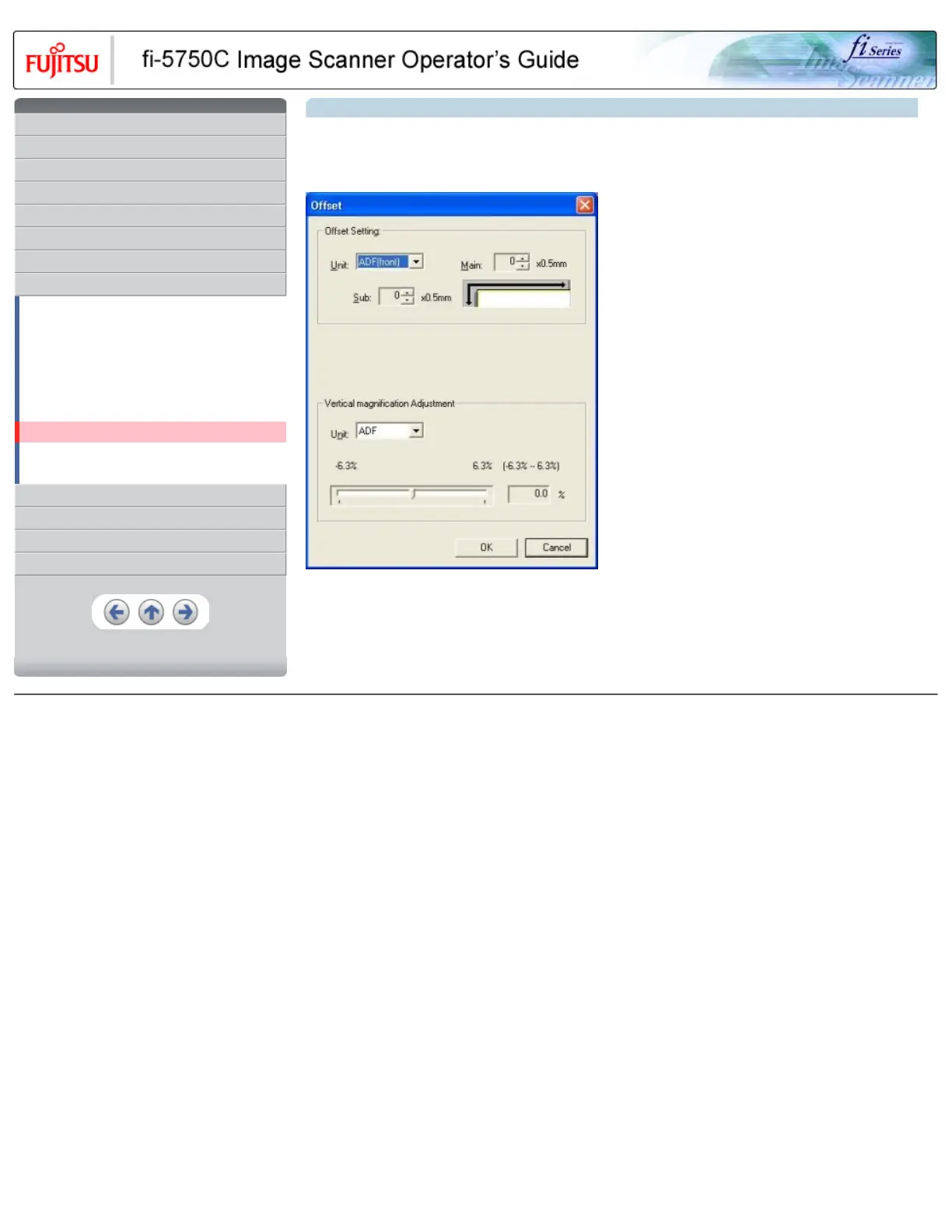
The settings for adjusting the offset are as follows.
1. Select [Device Setting] tab and click [Offset] button.
>> The following panel appears.
2. Change the value at [Main] and [Sub] to specify the offset for scanning.
All Rights Reserved, Copyright (C) PFU LIMITED 2003










 To Next Page