CONTENTS
Introduction
1 NAMES AND FUNCTIONS OF PARTS
2 BASIC SCANNER OPERATION
3 SCANNING VARIOUS TYPES OF DOCUMENTS
3.1 Scanning double sided documents
3.2 Scanning documents with different widths
3.3 Scanning document longer than A3 size
3.4 Saving scanned images in PDF format
3.5 Selecting a color to drop out
3.6 Skipping blank pages
3.7 Detecting double-feeds
3.8 Correcting skewed documents
4 DAILY CARE
5 REPLACING CONSUMABLES
6 TROUBLESHOOTING
7 ONLINE SETUP
8 DOCUMENT SPECIFICATION OF ADF
9 OPTIONS
10 SCANNER SPECIFICATIONS
Appendix
3.4 Saving scanned images in PDF format (Continued from the previous page)
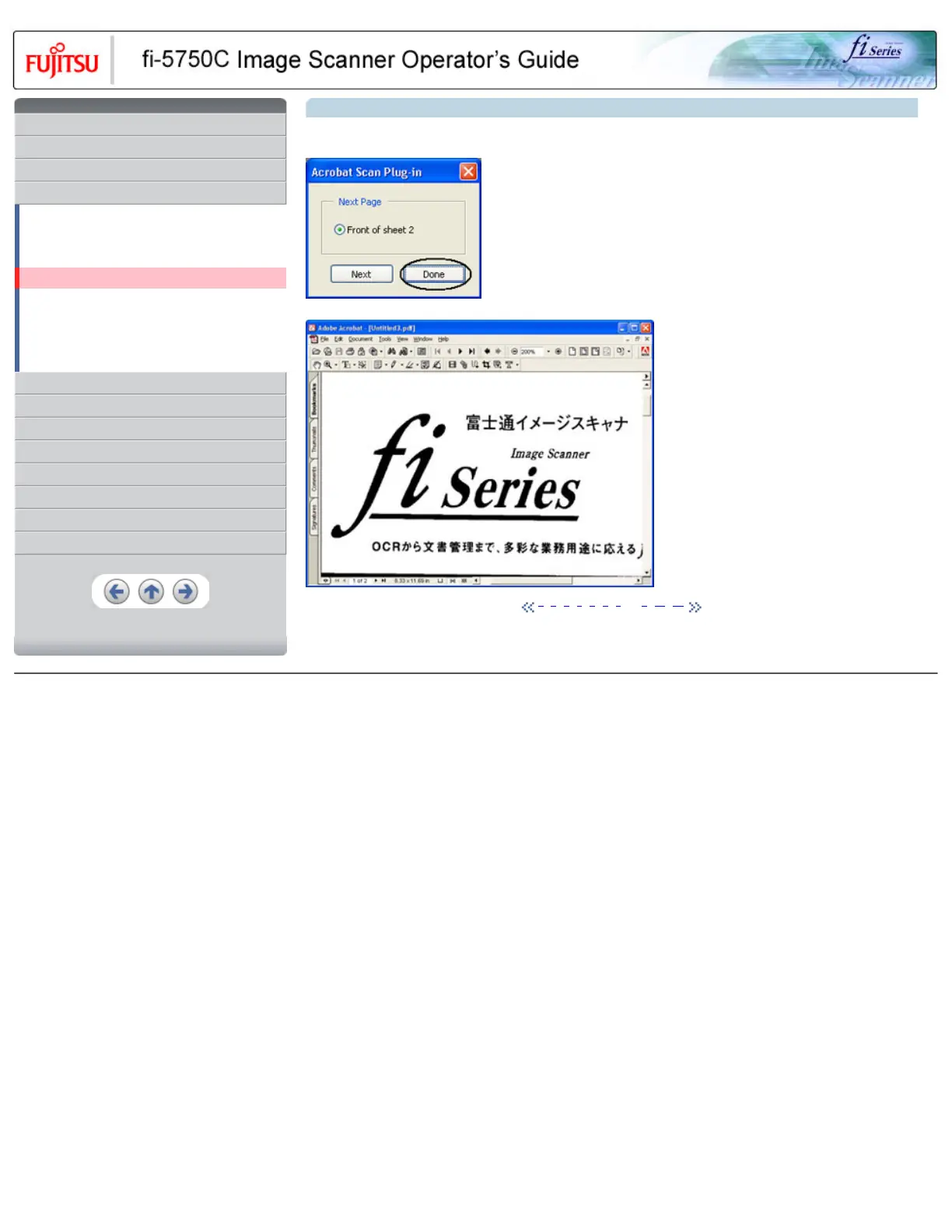
6. To end scanning, click the [Done] button.
>> The scanned image is displayed.
1 | 2 | 3 | 4 | 5 | 6 | 7 | 8 | 9 | 10 | 11
All Rights Reserved, Copyright (C) PFU LIMITED 2003










 To Next Page