running.
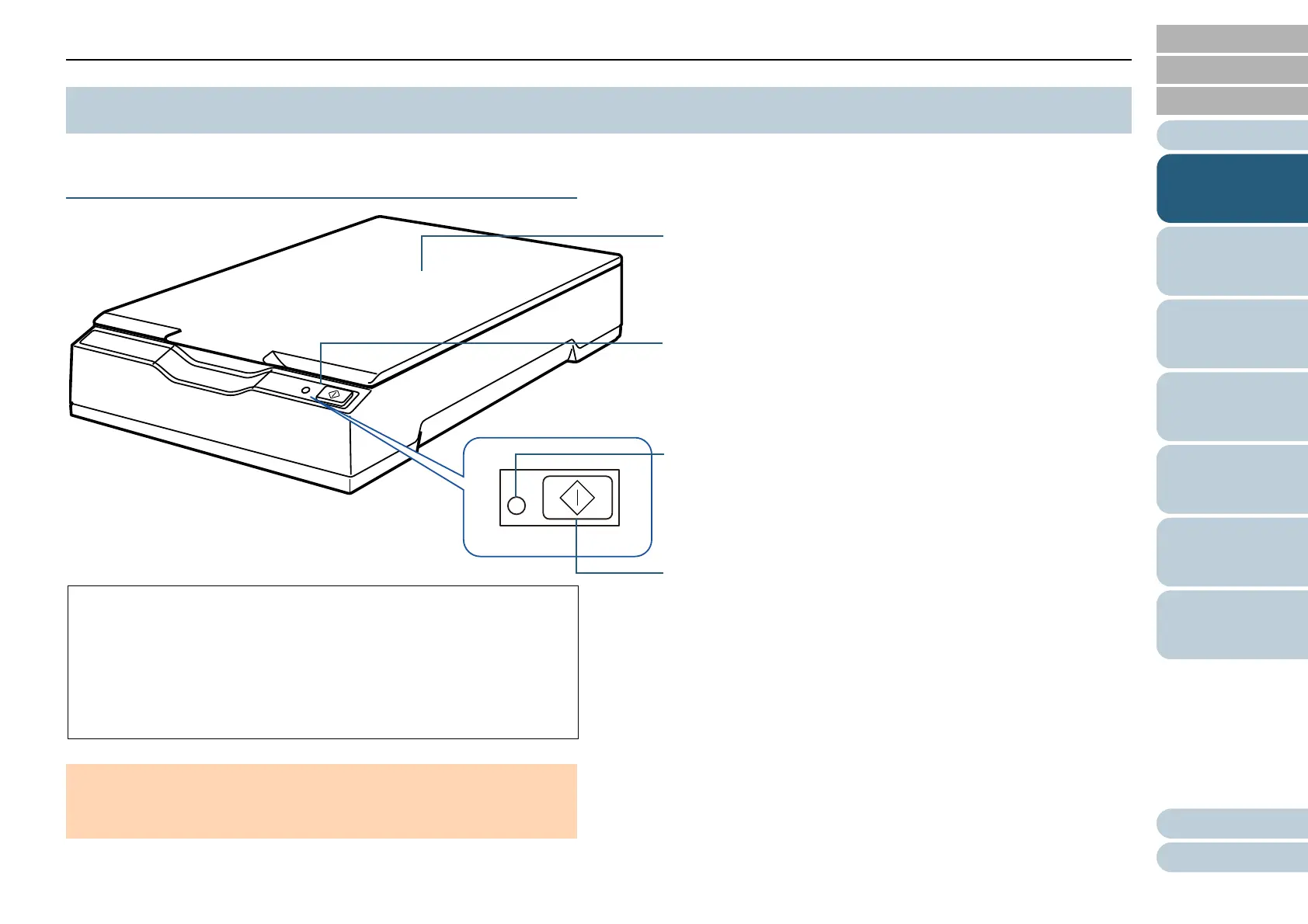
Operator panel
Consists of the [Scan] button and power LED.
Can be used to operate the scanner or check the status.
Flatbed
Place a document on the glass section when you scan thick
documents, such as a book or plastic cards, and thin paper.
*1: For details about power saving mode, refer to "1.5 Power Saving
Mode" (page 18).
*2: For details about turning the power on, refer to "1.3 Turning the
Power ON/OFF" (page 15).
*3: For details about the settings for scanning by pressing the [Scan]
button, refer to the scanner driver's Help and "Using a Button on the
Scanner to Start Scanning" (page 32).
[Scan] button
Resumes from power saving mode (*1) and turns the power on (*2).
Starts up the linked application (*3).
Power LED
Lights in green when the scanner is turned on.



 To Next Page