Chapter 3 Configuring the Scan Settings
Appendix
Glossary
Introduction
Index
Contents
TOP
25
How to Scan
Documents
Configuring the
Scan Settings
Various Ways to
Scan
Daily Care
Troubleshooting
Operational
Settings
Scanner
Overview
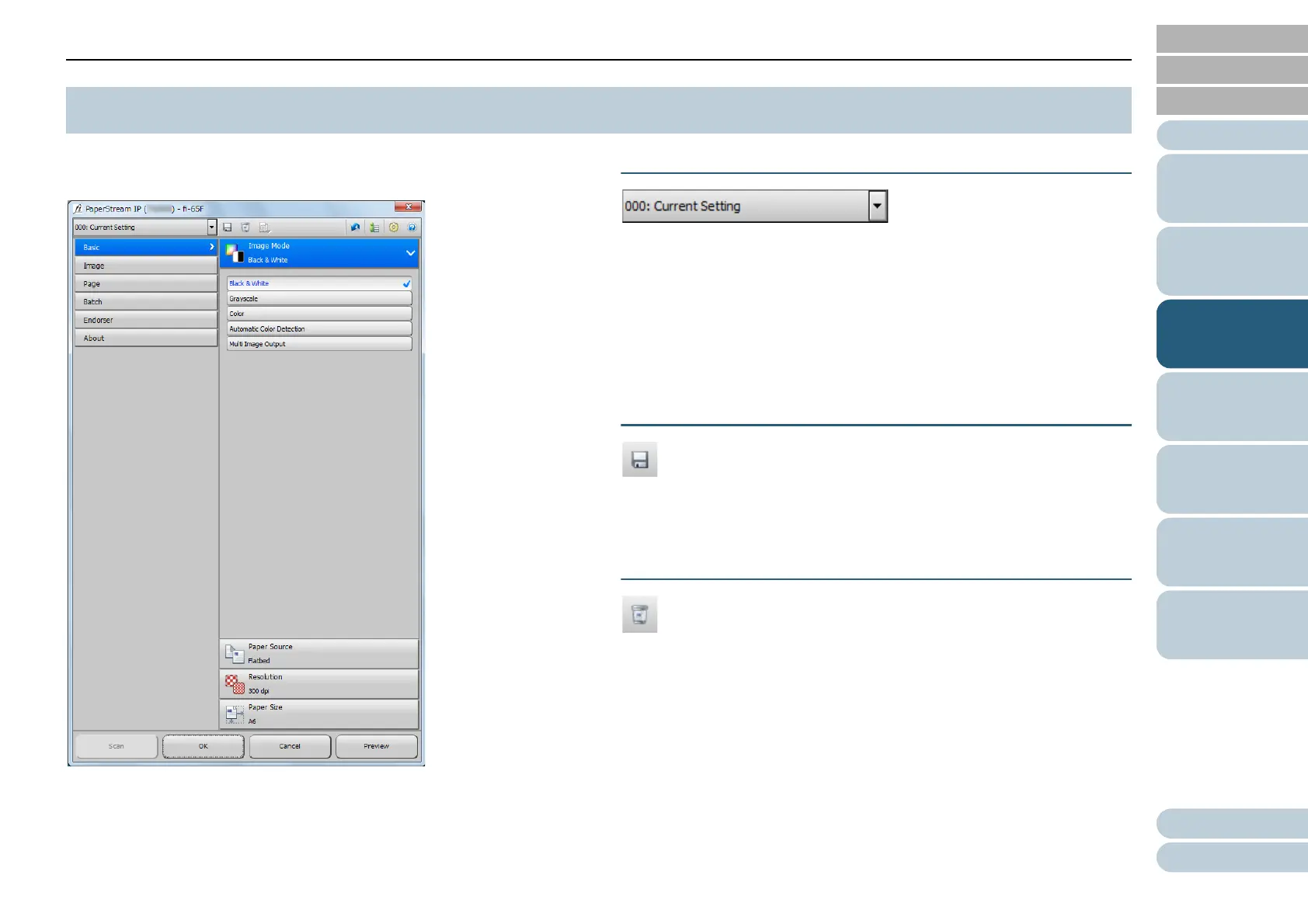
This section explains the main setting items in the normal
dialog for the PaperStream IP driver.
For details about setting items in the normal and simple
dialogs, refer to the PaperStream IP driver Help.
[Profile] list
From the list that appears when you click [▼], select a profile
for scanning.
When the profile name is selected in the [Profile] list, the
corresponding scan settings are displayed.
When you change a setting in the menu after selecting the
profile, it switches to [000: Current Setting].
[Save Profile] button
Displays the [Save Profile] dialog box to save the current
settings as a profile.
[Delete Profile] button
Deletes the profile that is currently selected.
Note that [000: Current Setting] cannot be deleted.
3.2 Setting Items for PaperStream IP Driver



 To Next Page