9-16
Chapter 9 File Transfers
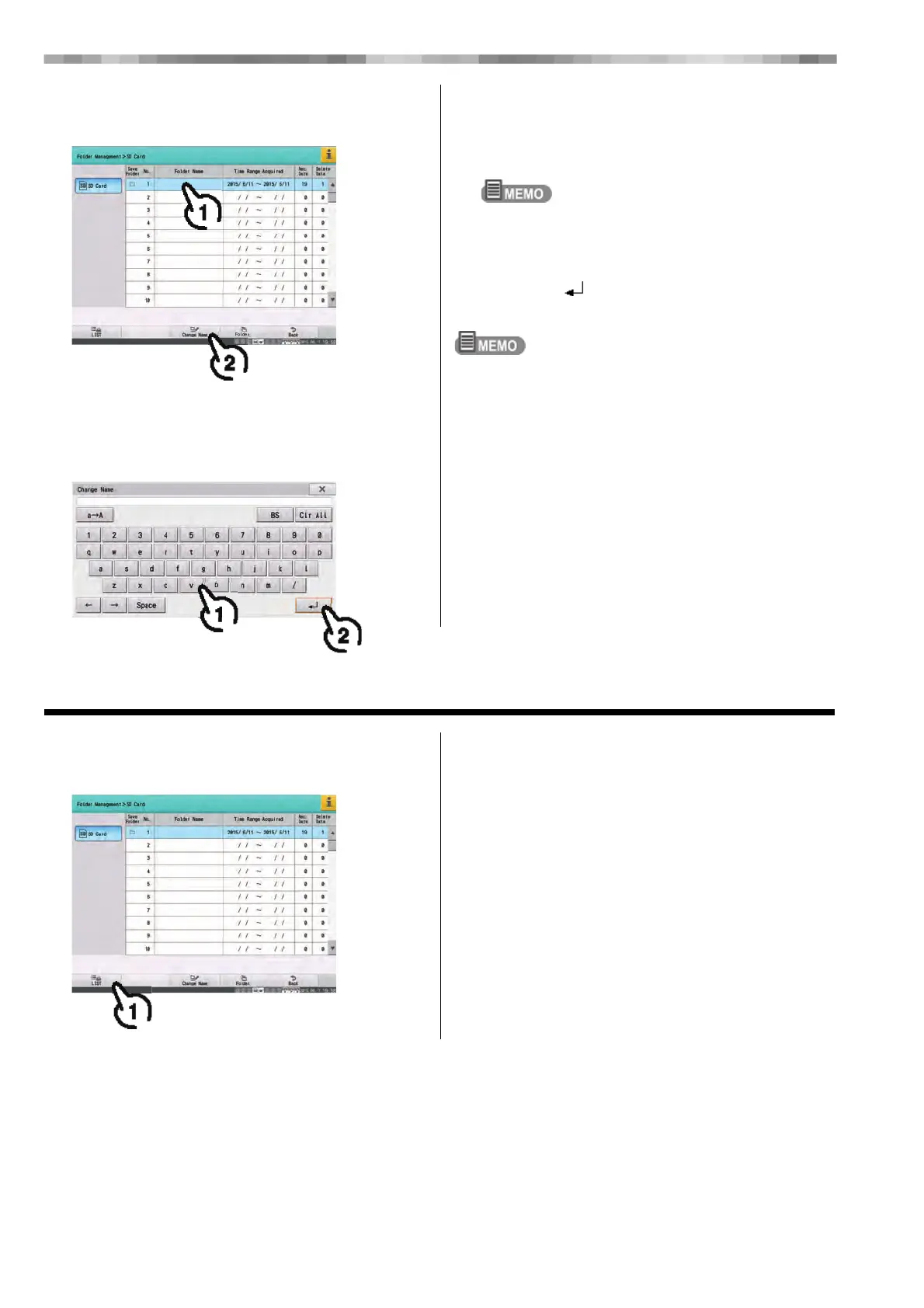
6 Select the folder for which to change the
name.
1) Touch the folder.
2) Touch [Change Name].
7 Enter the new name.
1) Enter the name of the department.
This is entered in the same way as the name in
Patient Information. (Refer to "Chapter 4 Entering
Patient Information" (P4-1))
Only alphanumeric characters can be used for folder
names.
2) Touch [ ].
The name of the folder is registered.
If [x] is touched, the entered folder name is not registered.
Printing the Folder List
1 Touch [LIST].
The folder list is printed.



 To Next Page