1-11
Chapter 1 Preface
Description of the Screen
This section explains the screens for blood pressure and pulse wave examinations.
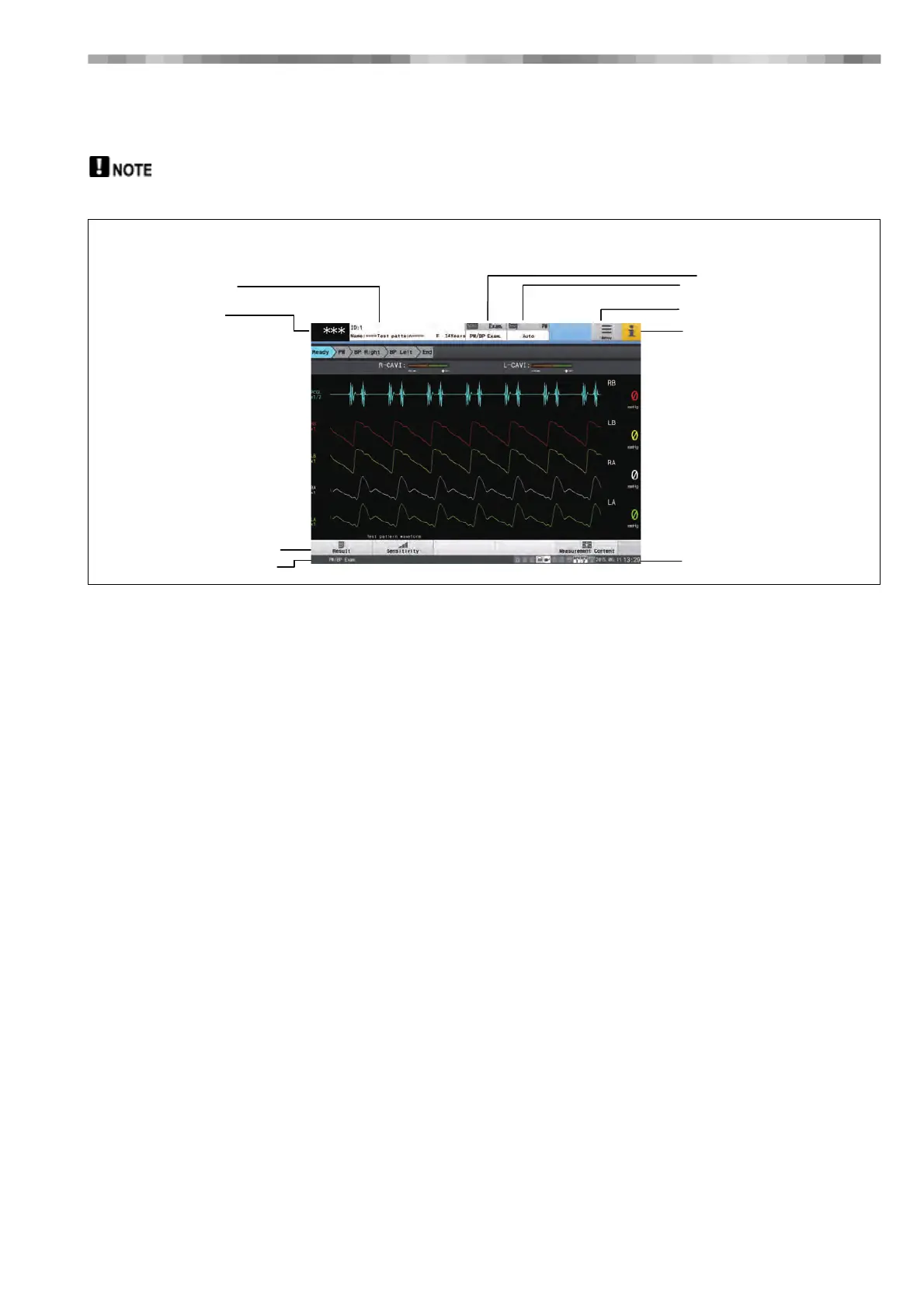
This is an example of the screen shown during a 4-channel blood pressure and pulse wave examination.
1) ID Button (Patient Information Display Area)
Touch this to display a window for entering patient
information.
Information such as the ID, name and age of the patient
are displayed, and patient information can be added or
edited.
2) Pulse Rate Display Area
The pulse rate is displayed.
3) Function Buttons
Buttons for controlling the main unit are available.
4) Examination Status Area
Displays the status of the examination.
5) Examination Button
The currently selected examination is displayed.
Touching this button displays the "Select Examination"
window for selecting an examination.
6) Measurement Mode Button
Switch the mode for obtaining waveforms (Auto or
Manual).
7) Menu Button
Touch this to display the Menu screen.
8) i Button (Information Button)
Touch this to display a screen indicating the status of the
device.
9) Date/Time Display Area
Displays the current date and time.
[Blood Pressure and Pulse Wave Examination Screen (Standard Examination Mode)]
1) ID Button
2) Pulse Rate Display Area
3) Function Buttons
4) Exam. status Area
5) Exam. Button
6) Measurement Mode Button
7) Menu Button
8) i Button (Information Button)
9) Date/Time



 To Next Page