2-17
Chapter 2 Installation
The list of optional products in the appendix indicates the printers that can be connected.
Network Settings (Wired LAN)
■Steps for Configuring Network Settings
• Consult the network administrator to confirm the IP addresses (e.g. 192.168.0.3) and port numbers that can be assigned
to the device, computer and printer.
• Contact Fukuda Denshi for more information on configuring the wireless LAN settings.
■Configuring the Settings
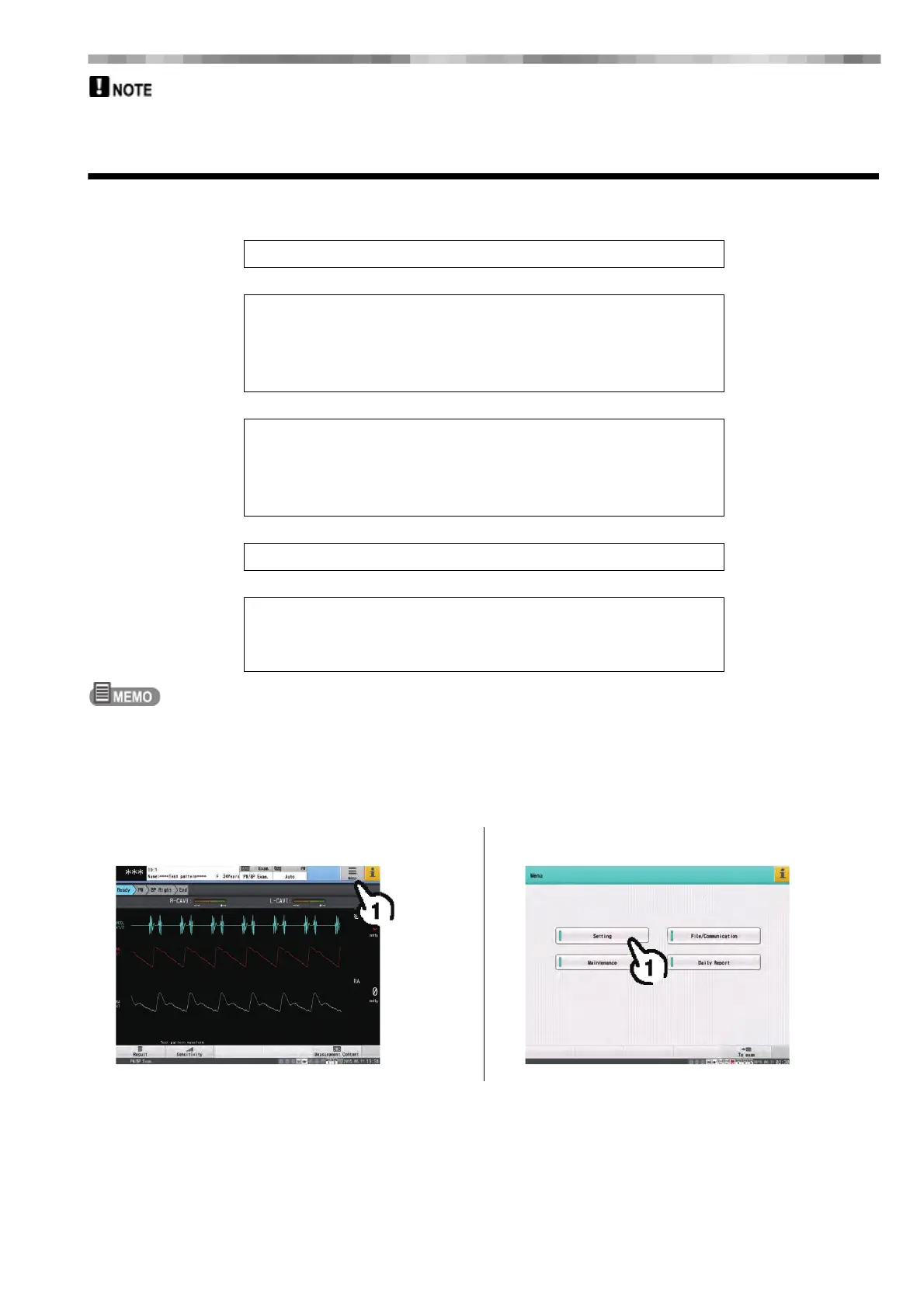
1 Touch the [Menu] button. 2 Touch [Setting].
Enable communication
↓
Configure network settings on the device
•Set the examination equipment name
•Set the IP address
•Set the gateway information
↓
Register the host
•Host name
•Enter the IP address
•Enter the port number
↓
Select the host to be used
↓
Enter the printer information
•Enter the IP address
•Enter the port number



 To Next Page